
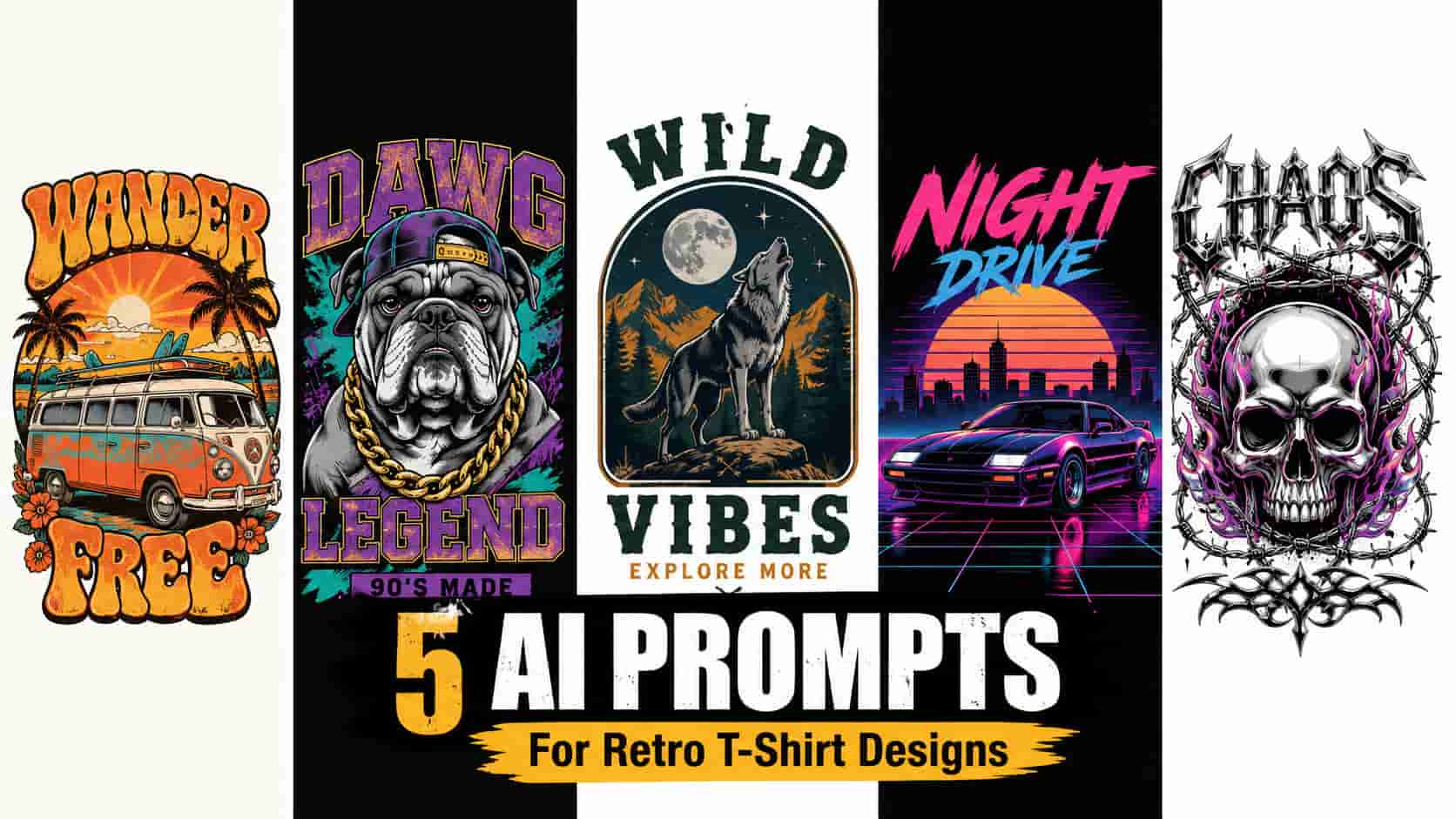
Quick Answer: To create highly commercial apparel graphics, the most effective AI prompts for retro t-shirt designs focus on generating flat, distressed vector illustrations isolated on pure white or solid black backgrounds. Using descriptive prompts in generators like Leonardo AI helps creators produce everything from 70s groovy sunsets to 90s streetwear, streamlining the print-on-demand workflow.
If you are actively growing a print-on-demand (POD) apparel brand in 2026, you already know that vintage and retro aesthetics consistently dominate top-selling charts on platforms like Etsy, Merch by Amazon, and Redbubble. A broad U.S. audience actively searches for nostalgic clothing, from 70s outdoorsy graphics to edgy 90s streetwear. However, designing these complex, distressed graphics from scratch requires advanced illustration skills and hours of editing. To scale your apparel business efficiently, mastering specific AI prompts for retro t-shirt designs can completely revolutionize your production process.
Just as we discussed in our guides on generating AI prompts for Etsy stickers and creating AI prompts for seamless patterns, relying on short, generic text inputs often yields messy, unusable artwork. For t-shirt printing, an image must be incredibly clean, easily extractable from its background, and visually striking.
In this guide, we are exploring five deeply detailed, tested AI prompt frameworks tailored specifically for the apparel market. We are focusing on generating functional, commercial-grade graphics that utilize high-contrast backgrounds, making them significantly easier to prepare for Direct-to-Garment (DTG) printing.
Why the “Isolated Vector” Style is Crucial for Apparel
Before looking at the exact text prompts, it is important to understand why t-shirt graphics require a very specific visual approach compared to standard AI art:
- Seamless Background Removal: Specifying a “pure white background” (for dark designs) or a “solid black background” (for glowing/neon designs) creates extreme contrast. This allows you to remove the background cleanly, which is absolutely mandatory before uploading to print providers like Printify or Printful.
- DTG Print Suitability: Flat colors, bold outlines, and intentional “distressed” textures often print much more reliably on cotton fabrics than hyper-realistic, softly blended 3D renders.
- The Emblem Format: T-shirt designs look best when the artwork is contained within a recognizable shape (like a circle, badge, or tight cluster) rather than bleeding messy details off the edges of the canvas.
My Exact Leonardo AI Settings for Apparel
To generate the crisp, commercial-style graphics discussed here, you must instruct the AI engine to focus on illustration rather than photography. Here is the configuration generally recommended for t-shirt graphics:
- AI Generator: Leonardo AI (or Midjourney)
- Model: Auto (or Leonardo Vision XL for crisp, stylized vectors)
- Style: Illustration / Vector
- Aspect Ratio: 1:1 (Square) or 3:4 (Vertical rectangle, which mimics the printable area on a t-shirt)
Credit Usage Note: At the time of testing in August 2026, Leonardo AI’s free tier provided 150 Fast Tokens per day. However, token availability and generation costs depend on the selected model and quality settings. Always check the current interface before generating, as platform pricing and free limits change frequently.
Quick Breakdown: The 5 Niche Apparel Styles
| T-Shirt Aesthetic | Design Focus | Target Audience / Niche |
|---|---|---|
| 1. 70s Groovy Sunset | Distressed, warm tones, circles | Evergreen casual wear, nature lovers, vintage fans |
| 2. 90s Bootleg Style | High contrast, halftone, edgy | Streetwear, urban fashion, pop-culture niches |
| 3. Outdoorsy Badge | Engraved, neat borders, nature | Hikers, campers, national park enthusiasts |
| 4. 80s Synthwave | Neon colors, dark backgrounds | Gamers, retro-futurism fans, car enthusiasts |
| 5. Y2K Cyber Grunge | Chrome, barbed wire, stark | Premium streetwear, Gen-Z fashion, alt aesthetics |
The 5 Copy-Paste Prompts for Retro T-Shirts
Below are five deeply detailed, structured prompts designed to yield highly commercial graphics. Copy the text inside the boxes and paste it directly into your AI generator.
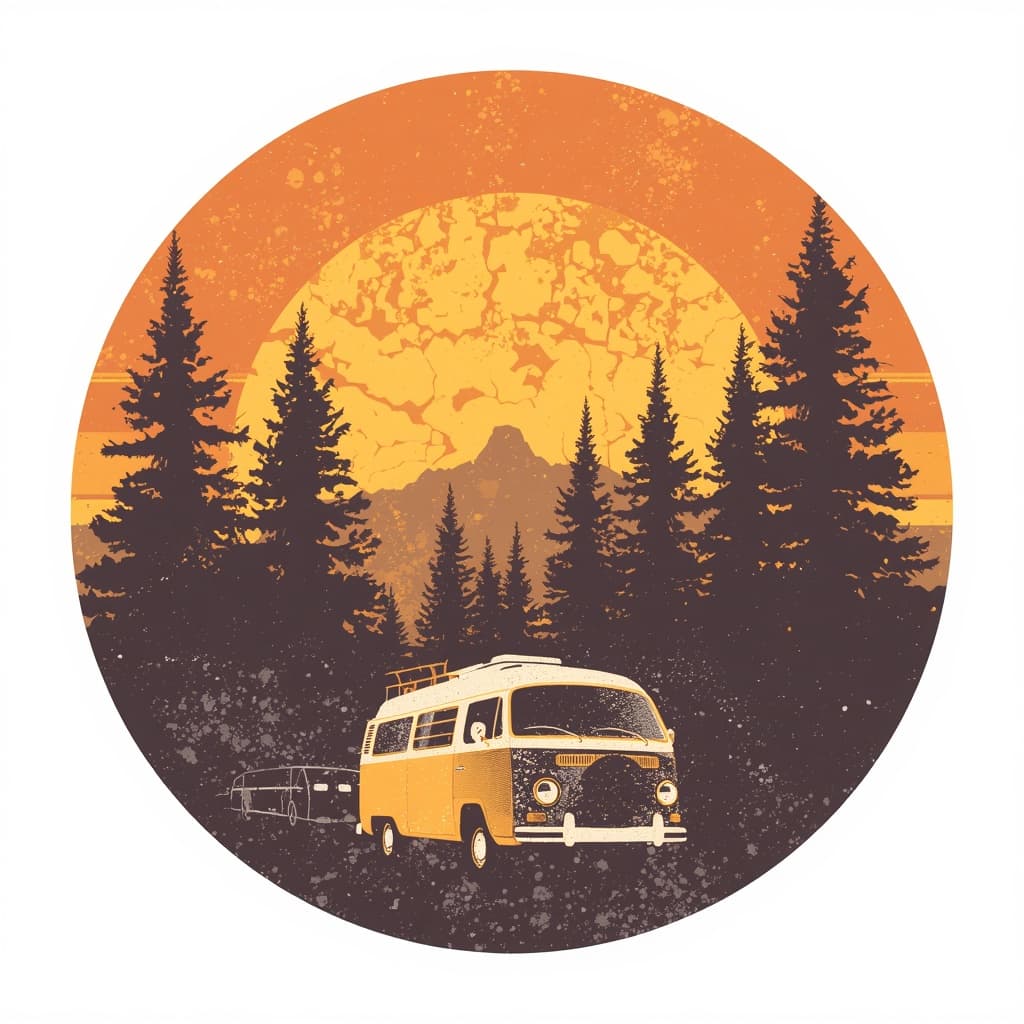
Prompt 1: The 70s Groovy Sunset
What this prompt is designed for:
- A proven, evergreen design style that sells year-round
- Perfect for applying curved retro typography over the top in your editing software
The Prompt:
Recommended editing:
- Once the background is removed, leave some space at the top and bottom of the graphic to add words like “WANDERLUST” or “EXPLORE” using a chunky 70s font.
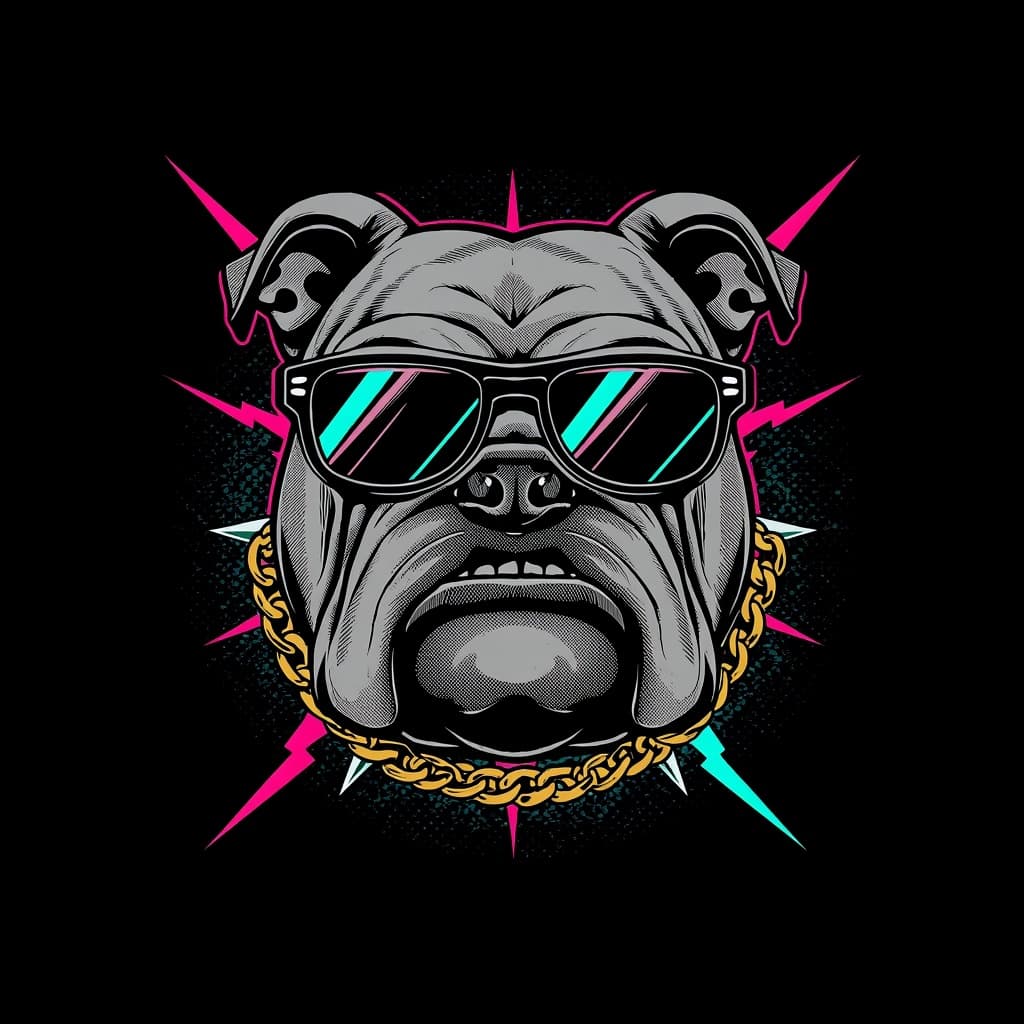
Prompt 2: The 90s Vintage “Bootleg” Style
What this prompt is designed for:
- Targeting the highly lucrative, edgy streetwear market
- Creating graphics that look best on oversized black t-shirts
The Prompt:
Common mistakes:
- Avoid placing these specific graphics on white t-shirts. The halftone shading and dark aesthetic are specifically engineered to blend naturally into dark cotton garments.
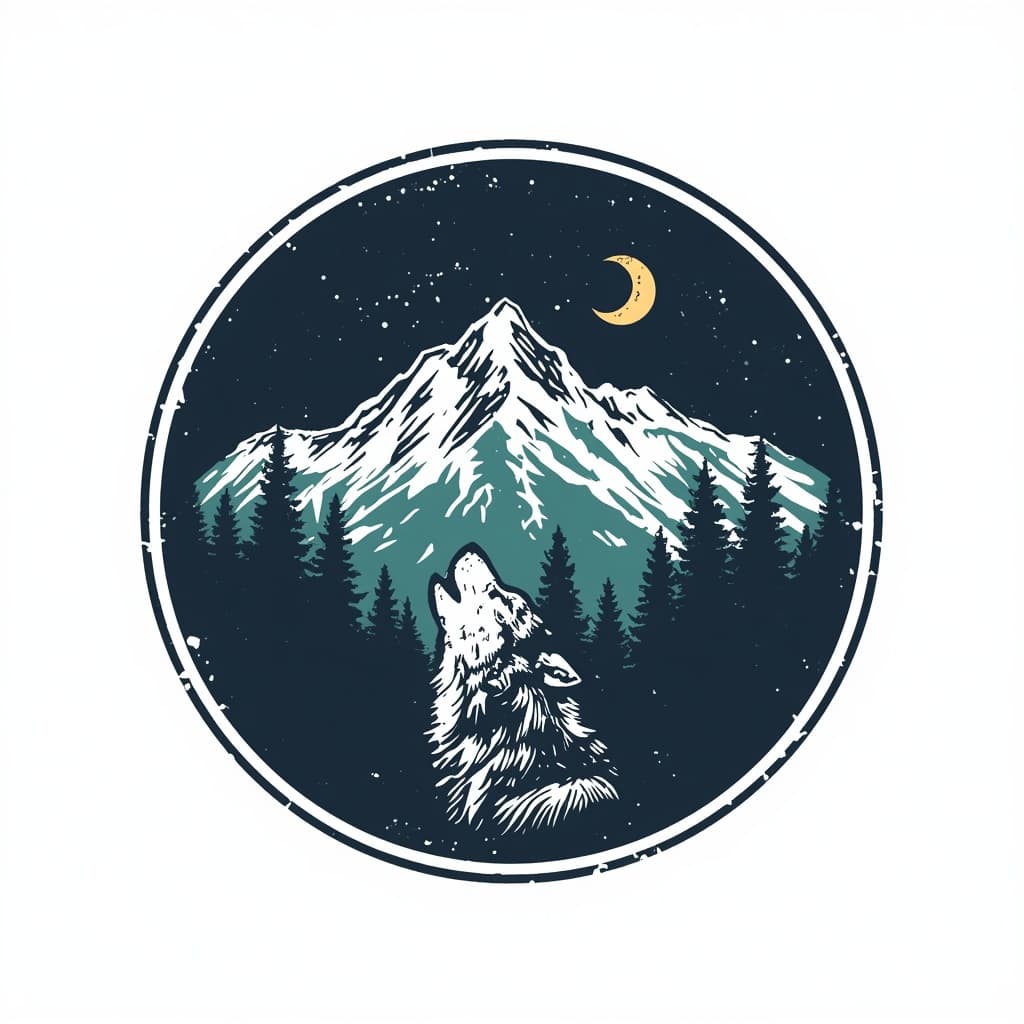
Prompt 3: The National Park / Outdoorsy Badge
What this prompt is designed for:
- The massive hiking, camping, and nature enthusiast niches
- Clean, neat designs that look professional and brand-ready
The Prompt:
Why it works:
- The “framed inside an emblem” instruction keeps the artwork neat. T-shirt graphics that fade out messily at the edges often look like cheap iron-on patches, whereas badges look like premium apparel.
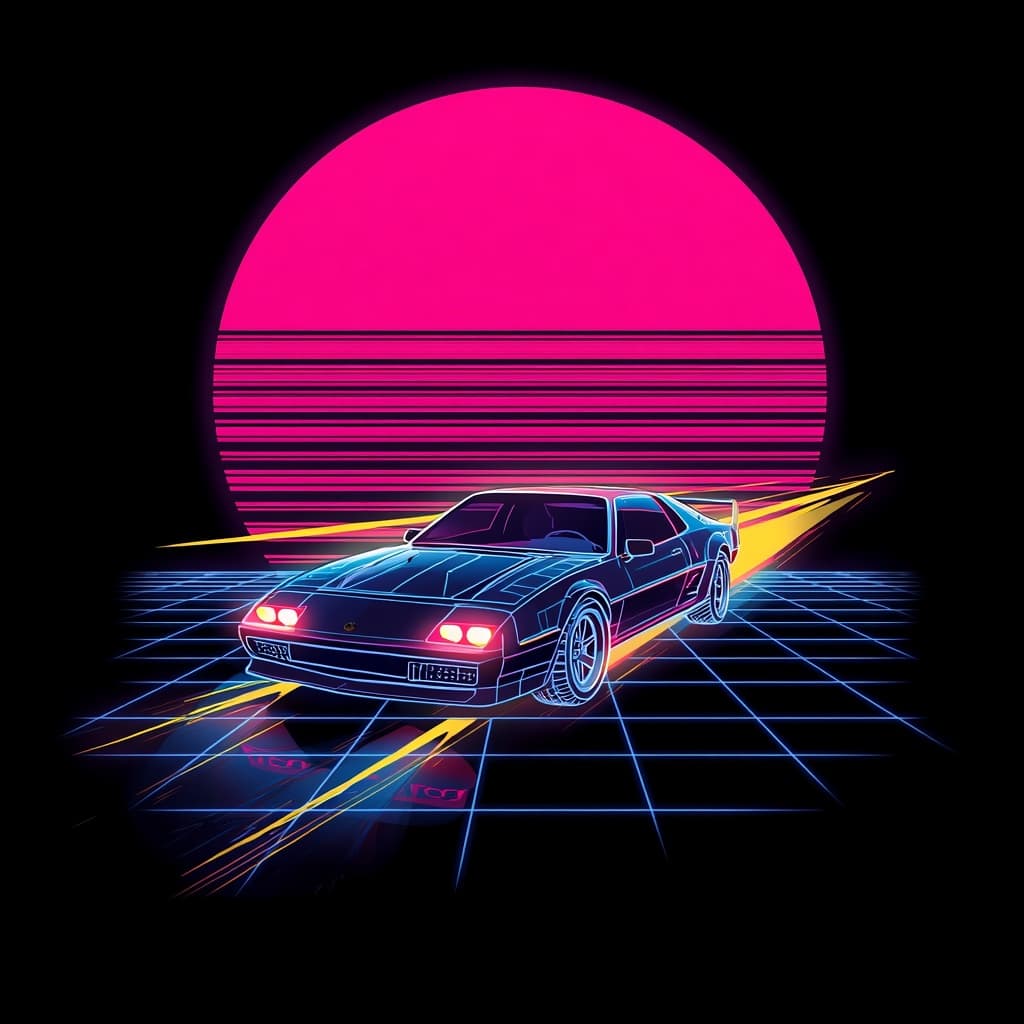
Prompt 4: The 80s Synthwave Graphic
What this prompt is designed for:
- Retro-futurism fans, gamers, and car enthusiasts
- High-energy, neon designs that stand out in search results
The Prompt:
Recommended editing:
- When removing a black background from a neon design, ensure your background remover tool does not accidentally erase the dark inner shadows of the car or the grid.
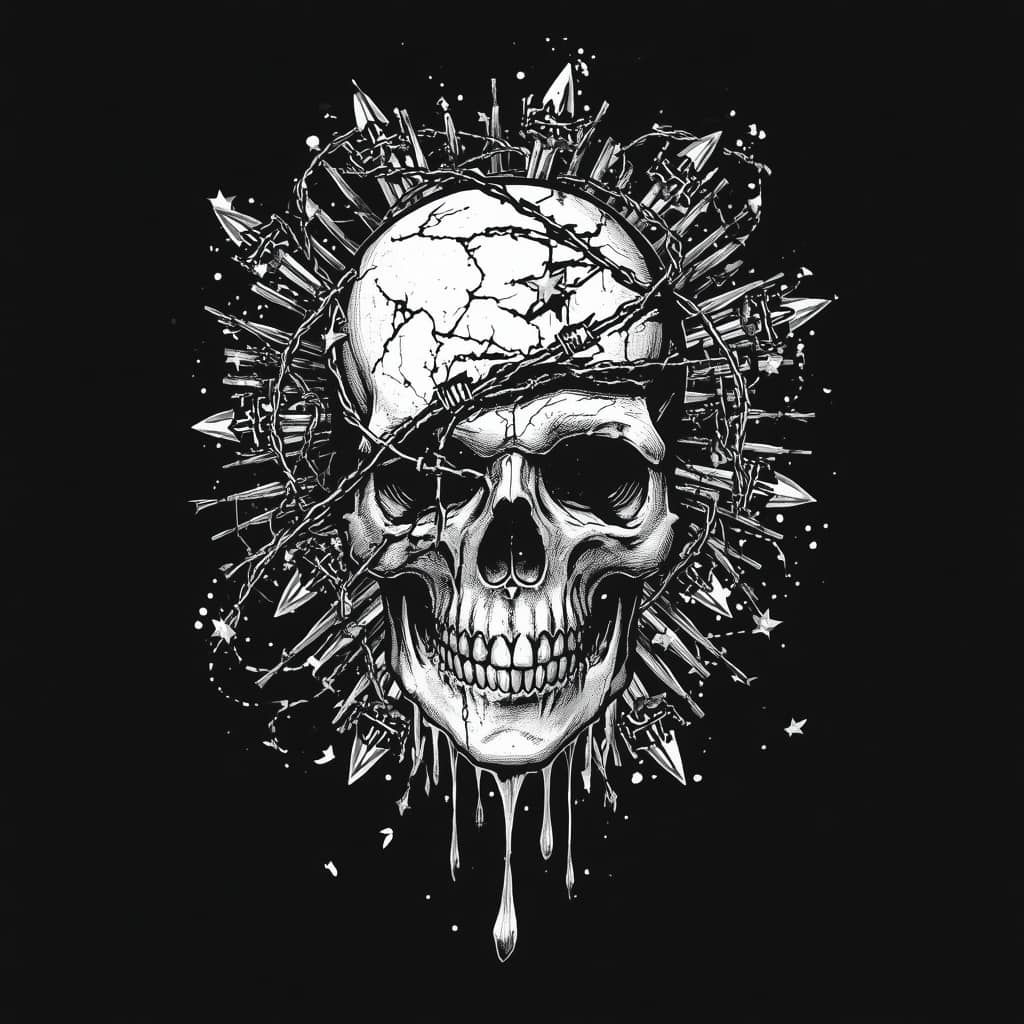
Prompt 5: The Y2K Cyber Grunge
What this prompt is designed for:
- Premium streetwear and Gen-Z alternative fashion
- Highly detailed, monochromatic aesthetics
The Prompt:
Common mistakes:
- Avoid adding multiple bright colors to grunge prompts. The appeal of Y2K streetwear often relies on stark contrast, primarily utilizing black, white, and metallic silvers.
The Print-Ready Editing Workflow
Generating the image is only the first step. To ensure your customers receive a high-quality physical garment, you must prepare the print file correctly. Here is a common workflow used by successful apparel creators:
1. Background Removal & Cleanup
Import your generated image into your preferred editing software. Use the background removal tool to eliminate the solid white or black background. Carefully inspect the edges of the artwork. If the AI generated any “stray pixels” or messy borders, erase them manually so they do not print as awkward ink specks on the final t-shirt.
2. Proper Upscaling & Resolution
Standard AI outputs are rarely large enough for apparel printing. Many print providers recommend an image size of around 4500 x 5400 pixels at 300 DPI for standard t-shirt prints. Upscale your original AI image using an AI upscaler before removing the background to preserve the maximum amount of edge detail.
3. Exporting the Correct Format
Always export your final, background-removed graphic as a high-quality PNG file with a transparent background. Uploading a JPEG can cause the background to appear as a solid white or black area instead of remaining transparent.
Before Publishing Checklist
Before uploading your new design to your print provider, run your asset through this quality control checklist:
- The Transparency Test: Place your PNG over a brightly colored square in your editing software. Check for leftover background pixels trapped inside closed loops (like the inside of a letter ‘O’ or the gaps in a retro sunset).
- Contrast Check: Will this design be visible on a dark grey shirt? If you are offering multiple apparel colors, ensure the graphic maintains enough contrast to stand out against the fabric.
- Copyright Compliance: Ensure your prompts do not generate copyrighted characters, logos, or trademarked brand elements. Stick to generic, original aesthetic combinations to protect your seller account.
Frequently Asked Questions (FAQs)
1. Can I sell AI-generated t-shirt designs on Etsy or Merch by Amazon?
Yes, major platforms generally allow the sale of AI-generated apparel graphics, provided you adhere to their specific content policies. Etsy requires sellers to disclose the use of AI in their creation process. It is your responsibility to ensure your generated artwork complies with intellectual property laws and the most up-to-date platform guidelines.
2. Do I own the commercial rights to my AI-generated graphics?
Commercial-use rights depend entirely on the AI platform’s current terms of service and the specific subscription plan you used during generation. Always review the official, current licensing agreements of platforms like Leonardo AI or Midjourney before selling generated artwork.
3. Why did the AI spell words wrong in my retro design?
While AI models are improving at text generation, they still struggle with spelling consistency. It is generally far more effective to generate the blank graphic (like a sunset or mascot) using AI, and then add your own typography manually using editing software fonts.
4. What is the best file size for print-on-demand t-shirts?
While requirements vary, a frequently recommended starting point for apparel printing is a transparent PNG file sized at 4500 x 5400 pixels at 300 DPI. However, always verify the specific template requirements of your chosen print provider.
5. Should I use a white or black background in my prompt?
It depends on the design. If your graphic features dark, heavy lines (like a vintage sunset), a pure white background makes it easy to cut out. If your design features glowing, neon, or bright white elements (like 90s streetwear), prompt for a solid black background so the bright edges aren’t accidentally removed.
Explore Our Print-On-Demand Series
This article is part of our deep-dive series into building digital product and apparel workflows. Expand your inventory and experiment with different aesthetics by checking out the other guides in our series:
- 5 Profitable AI Prompts for Etsy Stickers (Kawaii & Vintage)
- 5 AI Prompts for Seamless Patterns: Florals, Boho & More
- AI Prompts for Minimalist Boho Wall Art (Coming Soon)
- AI Prompts for KDP Adult Coloring Books (Coming Soon)
Important Disclaimer
The information, strategies, and prompts provided in this article are for educational and informational purposes only. We do not guarantee any specific sales, shop traffic, financial returns, or success on Etsy, Merch by Amazon, or any print-on-demand platform. Platform algorithms, copyright laws, and commercial licensing policies change frequently and are completely outside of our control. Always ensure you are reviewing the official policies and licensing terms of your marketplaces, print providers, and AI platforms.
Conclusion
Building a successful print-on-demand apparel brand requires a steady stream of high-quality, eye-catching graphics. By utilizing these deeply detailed AI prompts for retro t-shirt designs, you can efficiently generate commercial-grade artwork that stands out in crowded marketplaces. Take these prompt frameworks, apply a rigorous background removal and upscaling workflow, and use them to thoughtfully expand your apparel inventory.

About the Author
Hey, I’m Dharmendra Singh. I started AITool555 in early 2026 to share AI prompts that actually work.
I personally test every Midjourney, ChatGPT, and Leonardo AI prompt I publish. If it doesn’t save me time or give real results, it doesn’t make it onto this site. No fluff, just prompts I use for my own projects.
Questions? Email me: [email protected]