
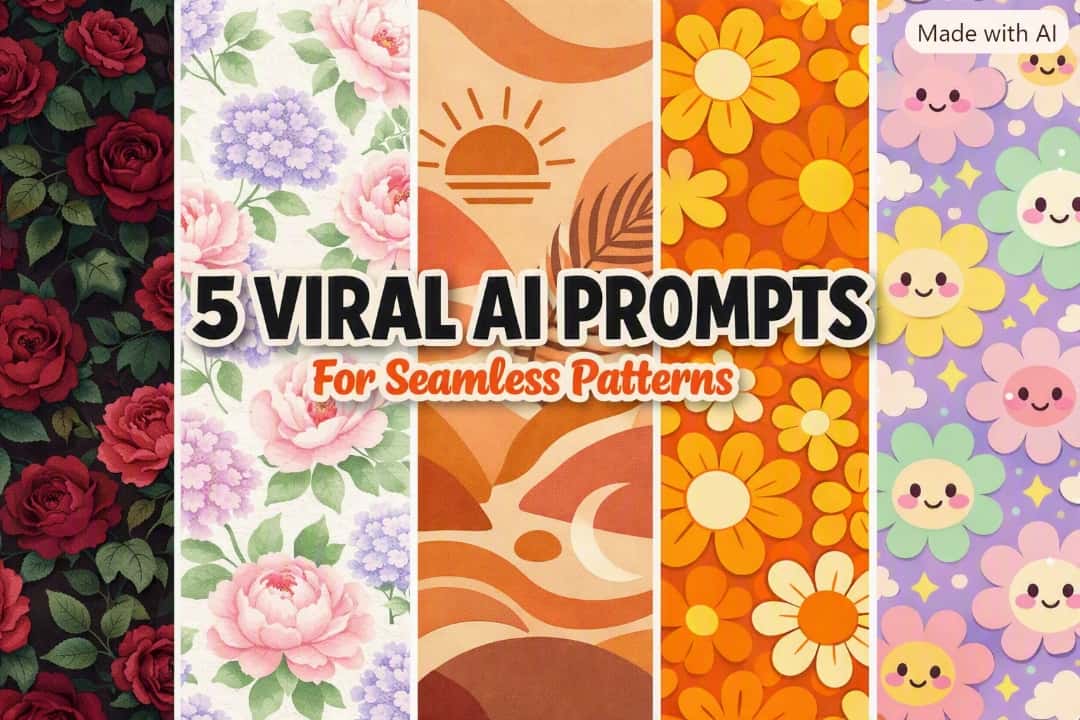
Quick Answer: To create digital assets for print-on-demand products like tumblers, fabrics, and phone cases, the most effective AI prompts for seamless patterns utilize specific descriptive commands combined with a mathematical “tiling” feature. Using generators like Leonardo AI or Midjourney allows creators to produce continuous, endlessly repeating designs across popular aesthetics.
If you are actively building a print-on-demand store or selling digital downloads in 2026, diversifying your product formats is a smart way to scale. A large segment of U.S. buyers constantly searches for seamless digital papers, custom tumblers, fabrics, and phone case designs that require continuous, repeating artwork. However, creating a flawless repeating pattern manually in software like Illustrator demands significant technical skill and time. To speed up your workflow, mastering specific AI prompts for seamless patterns can completely change how you build your digital inventory.
Just as we discussed in our guide on generating AI prompts for Etsy stickers, relying on generic text inputs often leads to frustrating results. For patterns, if the edges do not match up perfectly, the entire design is unusable for commercial printing.
Below, we are breaking down five deeply detailed, tested AI prompt frameworks tailored for high-demand aesthetic trends. We are focusing on generating functional “tiling” designs that can be repeated endlessly side-by-side without showing any hard edges or awkward breaks in the artwork.
Why the “Seamless Tiling” Format is Crucial for Print-On-Demand
Before looking at the exact text prompts, it is important to understand why repeating patterns are such a valuable digital asset for creators:
- Endless Scalability: A true seamless pattern can be duplicated side-by-side infinitely. This means you can use one single AI-generated square to cover a small coffee mug or a massive king-sized bedsheet on platforms like Spoonflower without stretching or distorting the original image.
- High Commercial Demand: Digital paper packs (sets of 10-12 seamless patterns sold as downloadable ZIP files) remain a staple for scrapbooking, website backgrounds, and DIY crafting niches.
- Production Efficiency: Generating a finished pattern often requires less post-production editing for background removal compared to isolating individual subject graphics, making them a faster asset to prepare for your shop.
My Exact Leonardo AI & Midjourney Settings
To generate the continuous commercial-style images discussed here, you must instruct the AI engine to mathematically align the left/right and top/bottom edges of the image. Here is the configuration generally recommended for pattern generation:
- AI Generator: Leonardo AI (or Midjourney)
- Crucial Setting (Leonardo): You MUST toggle the “Tiling” or “Seamless” switch to ON in the generation settings sidebar before hitting generate.
- Crucial Setting (Midjourney): Add the
--tileparameter to the very end of your prompt. - Aspect Ratio: 1:1 (A square canvas works best for base tiles)
Credit Usage Note: At the time of testing in August 2026, Leonardo AI’s free tier provided a set amount of daily Fast Tokens. Generating seamless patterns may consume slightly more tokens depending on the model and upscaling choices. Always check the current interface before generating, as platform pricing limits and features change frequently.
Quick Breakdown: The 5 Niche Pattern Styles
| Pattern Aesthetic | Design Focus | Best Used For / Target Niche |
|---|---|---|
| 1. Vintage Moody Floral | Dark background, deep colors | Gothic apparel, elegant tumblers, BookTok merchandise |
| 2. Watercolor Spring | Soft pastels, hand-painted look | Wedding stationery, baby shower gifts, digital paper |
| 3. Boho Terracotta | Warm tones, minimal lines | Modern phone cases, aesthetic planner covers |
| 4. Retro 70s Groovy | Bright oranges/yellows, pop art | Gen-Z apparel, funky digital paper packs |
| 5. Kawaii Pastel Blooms | Cute faces, light purples/pinks | School supplies, desk mats, streaming backgrounds |
The 5 Copy-Paste Prompts for Repeating Patterns
Below are five deeply detailed, structured prompts designed to yield endless repeating graphics. Copy the text inside the boxes and paste it into your AI generator. (Note: The --tile command is included for Midjourney users. Leonardo users should rely on the Tiling toggle button.)
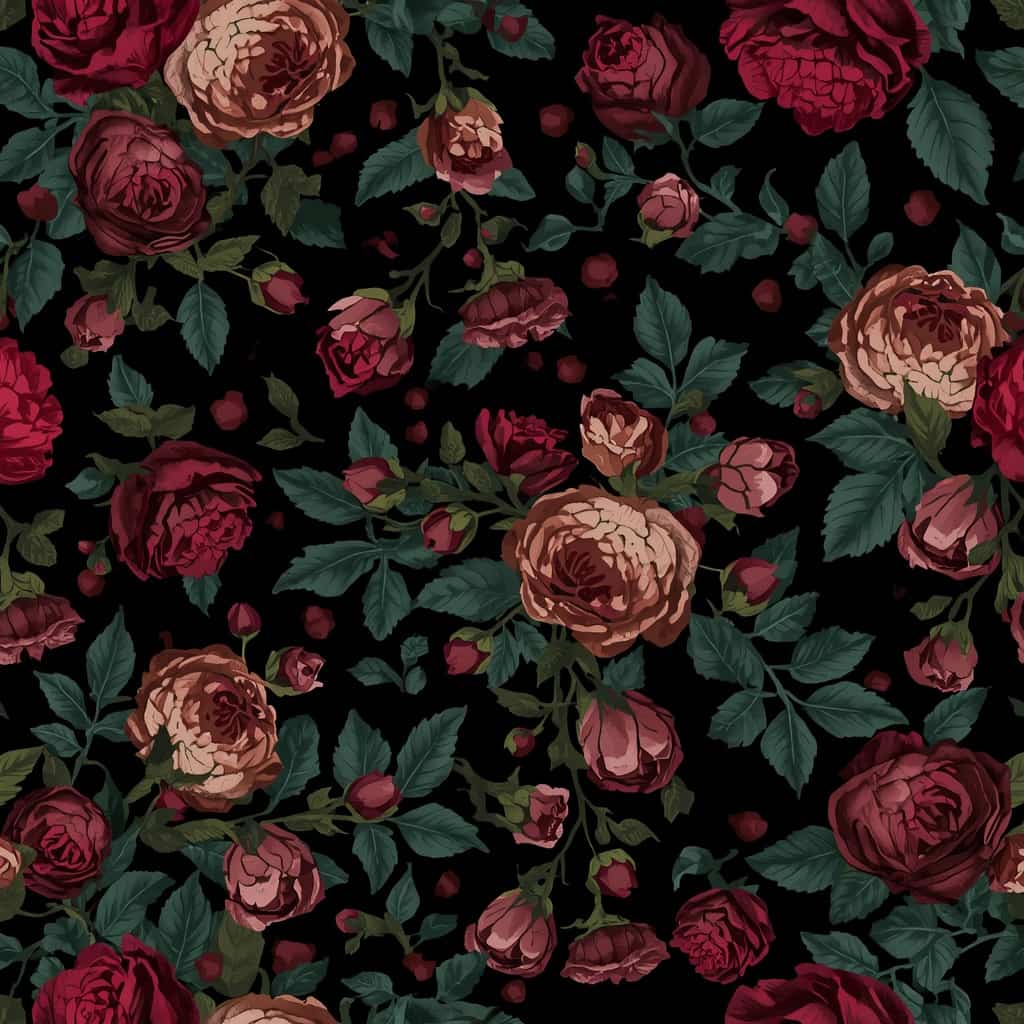
Prompt 1: The Vintage Moody Floral
What this prompt is designed for:
- Targeting the dark academia and cottagecore aesthetic
- Products that require a luxurious, premium feel
The Prompt:
Recommended editing:
- Because this design relies on a dark background, ensure your chosen print provider has a good track record with printing deep blacks without looking washed out. Ordering physical samples of dark patterns is highly recommended before selling them to customers.
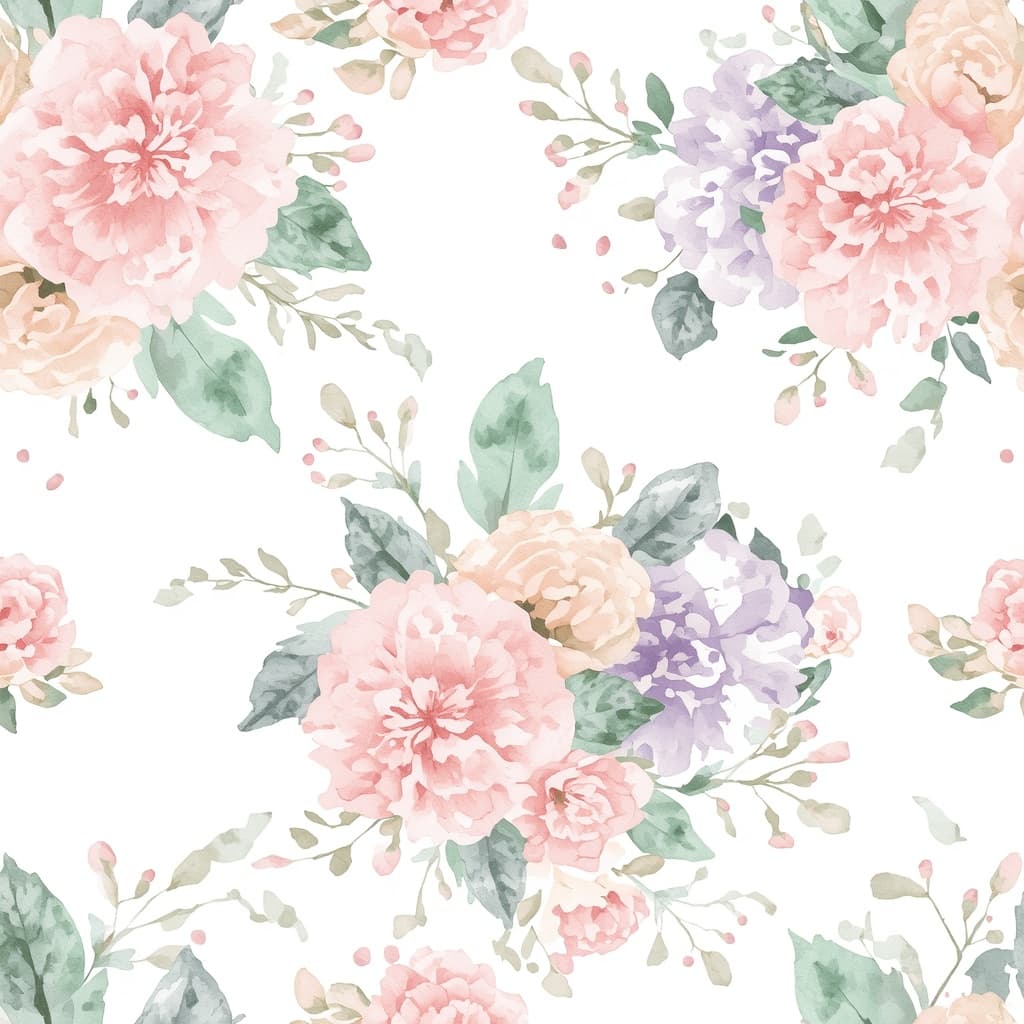
Prompt 2: The Watercolor Spring Blossom
What this prompt is designed for:
- Traditional, evergreen niches (weddings, baby showers)
- Soft, non-distracting backgrounds for physical products
The Prompt:
Common mistakes:
- Avoid adding terms like “photorealistic” to watercolor prompts, as this can confuse the AI and create a messy blend of painted and hyper-realistic elements.
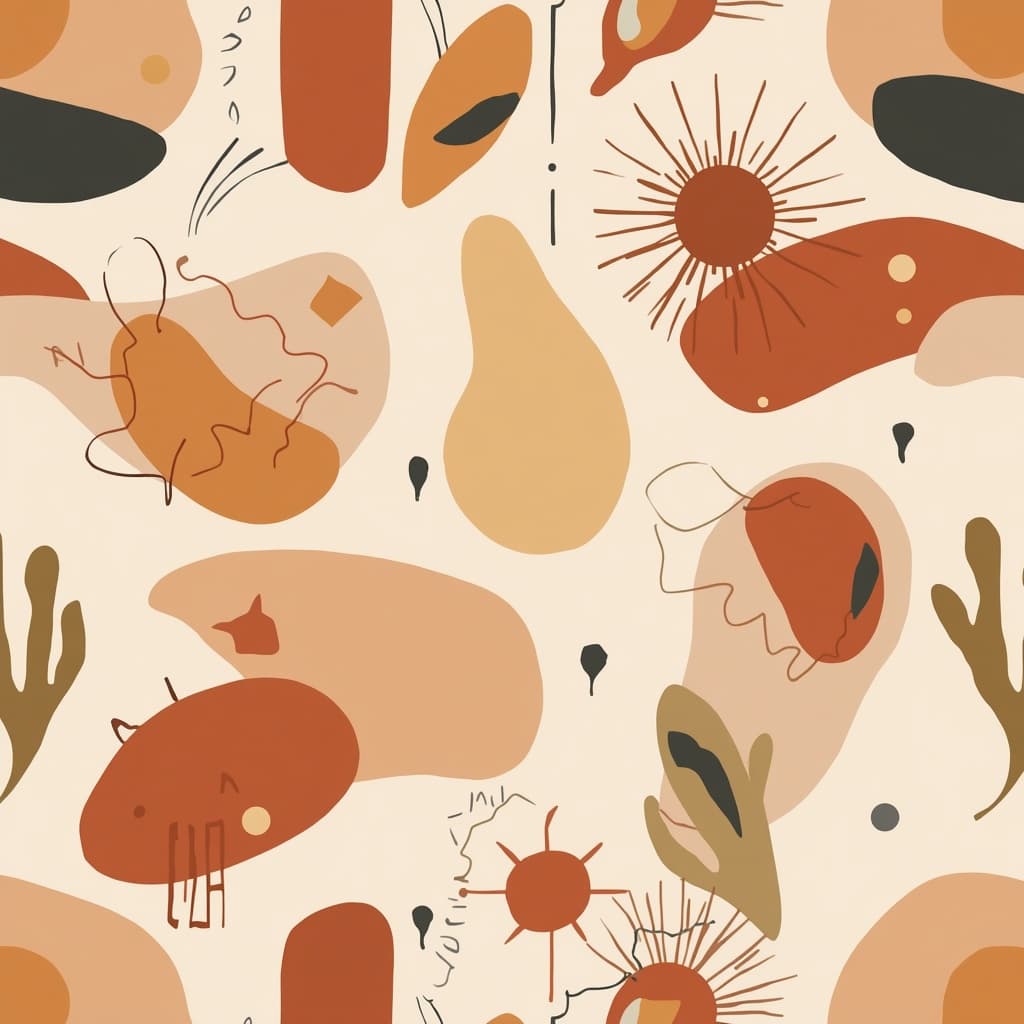
Prompt 3: The Boho Terracotta Abstract
What this prompt is designed for:
- Modern, minimalist digital paper bundles
- Appealing to adult demographics looking for understated designs
The Prompt:
Why it works:
- Earthy, muted tones are versatile and tend to print very reliably on a variety of substrates, from glossy phone cases to matte paper products.
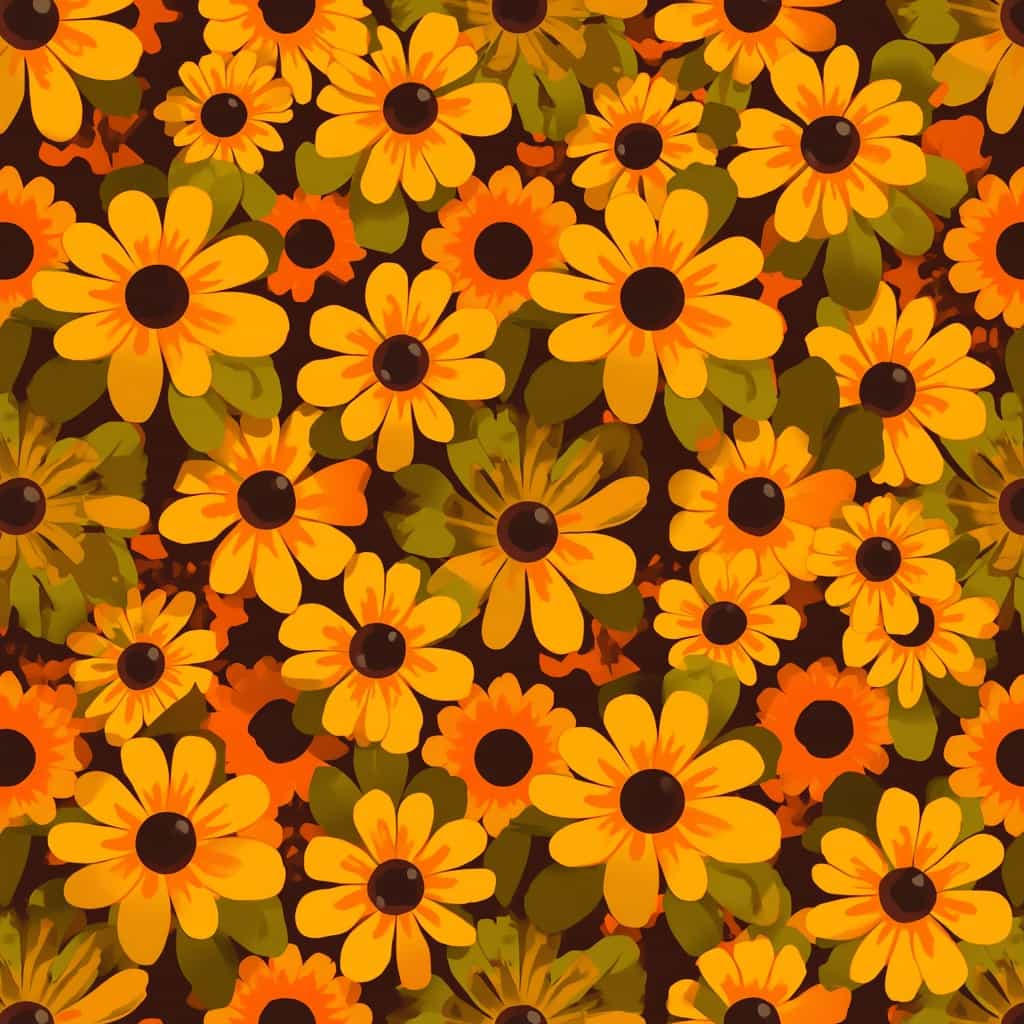
Prompt 4: The Retro 70s Groovy Floral
What this prompt is designed for:
- Pop-culture and nostalgic merchandising
- High-energy, colorful designs that stand out in search results
The Prompt:
Recommended editing:
- To create product mockups in Canva or Photoshop, scaling this pattern down (making the flowers physically smaller on the mockup) often looks better on apparel than leaving the pattern massively oversized.
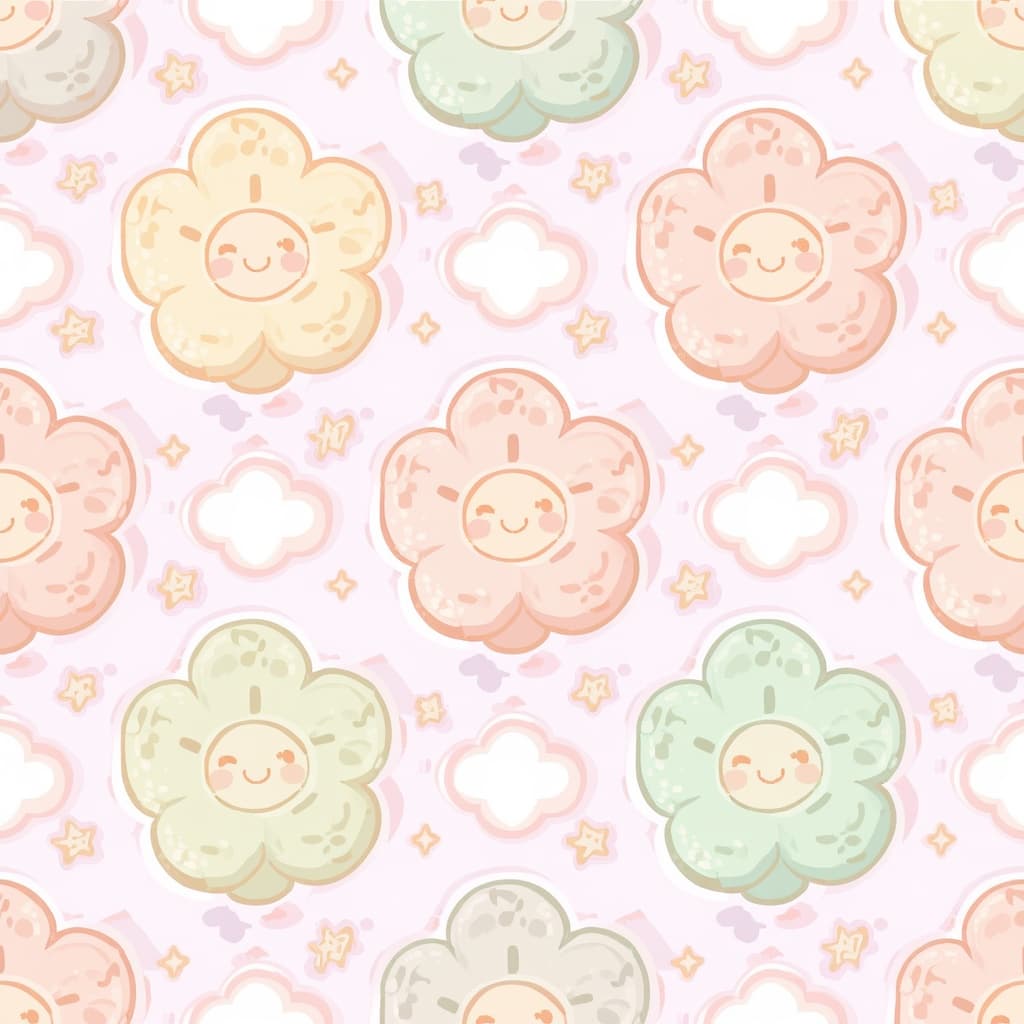
Prompt 5: The Kawaii Pastel Blooms
What this prompt is designed for:
- Stationery, mouse pads, and school supply niches
- Highly relatable, character-driven aesthetics
The Prompt:
Common mistakes:
- AI can occasionally generate distorted faces when generating many small elements at once. Always zoom in and review the pattern for visual anomalies before finalizing your product listing.
The Print-Ready Editing Workflow
Generating the image is just the first step. To ensure your customers receive a high-quality physical product or digital download, you must prepare the file correctly. Here is a common workflow used by digital creators:
1. The Tile Test
Before doing anything else, you must verify that the AI successfully created a seamless tile. Open your design tool (like Canva or Photoshop), create a large canvas, and duplicate your generated square image side-by-side in a 2×2 grid. If you see a visible line or mismatch where the edges touch, the tile failed, and you will need to generate a new variation.
2. Proper Upscaling & Resolution
Standard AI outputs (typically 1024×1024 pixels) are rarely large enough for high-quality physical printing. Upscale your successful tile using an AI upscaler to your print provider’s recommended pixel dimensions. After upscaling the physical size, ensure you prepare the final file according to the printer’s required resolution specifications (commonly 300 DPI for high-quality prints), as requirements vary drastically between a tumbler and a large blanket.
3. Exporting the Correct Format
Unless your pattern requires a transparent background, exporting your final upscaled pattern as a high-quality JPEG is standard practice for digital paper packs. It helps manage overall file sizes for customer downloads while retaining good print quality.
Before Publishing Checklist
Before uploading your new design to your shop, run your asset through this quality control checklist:
- The Anomaly Check: Zoom into your upscaled image at 100%. Look for strange AI artifacts, floating pixels, or distorted shapes that need to be removed or corrected with a healing brush.
- Mockup Accuracy: Ensure the scale of the pattern on your product listing mockups accurately reflects how the physical product will actually print.
- Copyright Compliance: Ensure your prompts do not generate copyrighted characters or trademarked patterns. Stick to generic, original aesthetic combinations.
Frequently Asked Questions (FAQs)
1. Can I sell AI-generated patterns on Etsy?
Etsy generally allows seller-prompted AI creations, provided sellers disclose the use of AI in their shop processes according to current platform guidelines. It is your responsibility to ensure your generated artwork complies with intellectual property laws and Etsy’s most up-to-date policies.
2. Do I own the commercial rights to my AI-generated patterns?
Commercial-use rights depend entirely on the AI platform’s current terms of service and the specific subscription plan you used during generation. Always review their official, current licensing agreements before selling any generated artwork commercially.
3. Why is there a visible line in my pattern?
If you see a seam when duplicating the image, the mathematical “tiling” feature was not successfully applied by the generator. Ensure the Tiling toggle was turned on in Leonardo AI, or that you properly appended the --tile parameter in Midjourney.
4. What is the best file size for digital paper packs?
A common industry standard for digital paper downloads on platforms like Etsy is a 12×12 inch square at 300 DPI, which equates to 3600 x 3600 pixels. However, always verify what your specific target audience expects for their crafting needs.
5. Should I use Midjourney or Leonardo AI for patterns?
Both are excellent tools that handle tiling commands very well. Midjourney can provide highly artistic and intricate details, while Leonardo AI offers a user-friendly interface with an easy toggle button for seamless generation, making it a reliable choice for print-on-demand workflows.
Explore Our Print-On-Demand Series
This article expands our deep-dive series into building digital product workflows. Expand your inventory and experiment with different aesthetics by checking out the other guides in our series:
- 5 Profitable AI Prompts for Etsy Stickers (Kawaii & Vintage)
- AI Prompts for Retro T-Shirt Designs (Coming Soon)
- AI Prompts for Minimalist Boho Wall Art (Coming Soon)
- AI Prompts for KDP Adult Coloring Books (Coming Soon)
Important Disclaimer
The information, strategies, and prompts provided in this article are for educational and informational purposes only. We do not guarantee any specific sales, shop traffic, financial returns, or success on Etsy or any print-on-demand platform. Platform algorithms, copyright laws, and commercial licensing policies change frequently and are completely outside of our control. Always ensure you are reviewing the official policies and licensing terms of Etsy, your print providers, and AI platforms.
Conclusion
Creating functional digital patterns requires both a strong visual aesthetic and a solid understanding of tiling and upscaling workflows. By utilizing these deeply detailed AI prompts for seamless patterns, you can efficiently generate continuous, high-quality graphics for tumblers, fabrics, and digital paper packs. Take these prompt frameworks, apply a careful anomaly-checking workflow, and use them to thoughtfully expand your print-on-demand inventory.

About the Author
Hey, I’m Dharmendra Singh. I started AITool555 in early 2026 to share AI prompts that actually work.
I personally test every Midjourney, ChatGPT, and Leonardo AI prompt I publish. If it doesn’t save me time or give real results, it doesn’t make it onto this site. No fluff, just prompts I use for my own projects.
Questions? Email me: [email protected]