
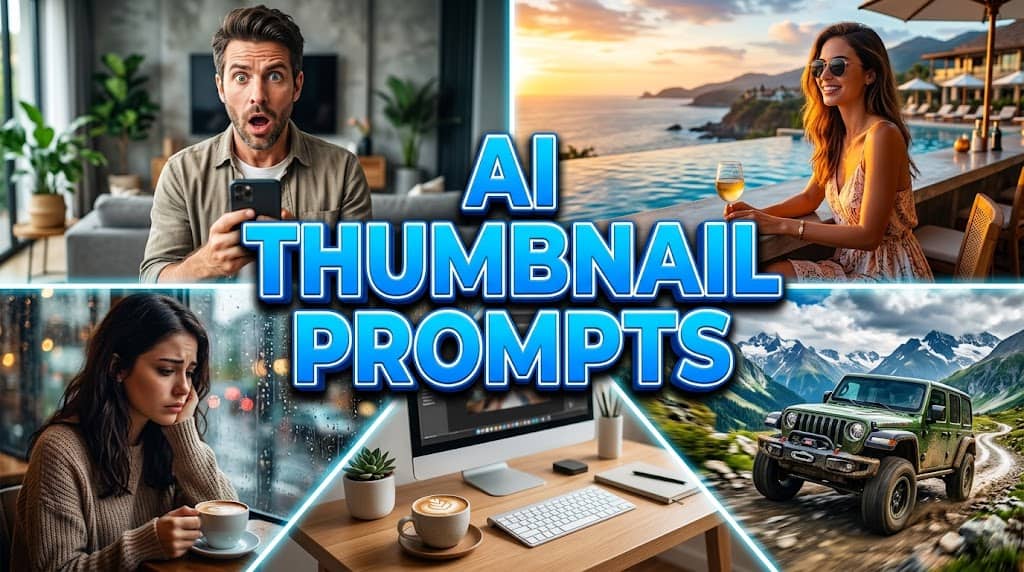
If you are running a lifestyle channel, travel diary, or daily family vlog in 2026, standing out in the YouTube algorithm is more challenging than ever. Unlike tech review channels where a brand-new, highly anticipated gadget naturally draws the eye, vlogging relies entirely on raw human emotion, breathtaking environmental backgrounds, and compelling storytelling. The United States lifestyle audience is incredibly fast-paced and highly visual; if your thumbnail does not immediately communicate a premium, cinematic feel, viewers may scroll past your video before reading the title.
For a long time, vloggers could get away with using casual, low-resolution smartphone screenshots as their video covers. However, viewer expectations have evolved significantly. Today, capturing attention in a crowded feed requires professional framing, dramatic expressions, and clean visual compositions generated by advanced AI prompts for vlog thumbnails. This is exactly where mastering the right vlog youtube thumbnail prompts helps improve visual appeal for content creators.
The great news is that you no longer need an expensive photography team or high-end DSLR cameras to create these captivating visuals. By utilizing free, accessible AI image generators like Leonardo AI or Microsoft Designer, you can render premium, magazine-quality aesthetics in a matter of seconds. In this comprehensive guide, we are sharing the top five templates carefully designed to help you capture audience curiosity, solve visual clutter problems, and elevate your channel’s overall branding.
The Psychology of a Click: Why These Visual Strategies Work
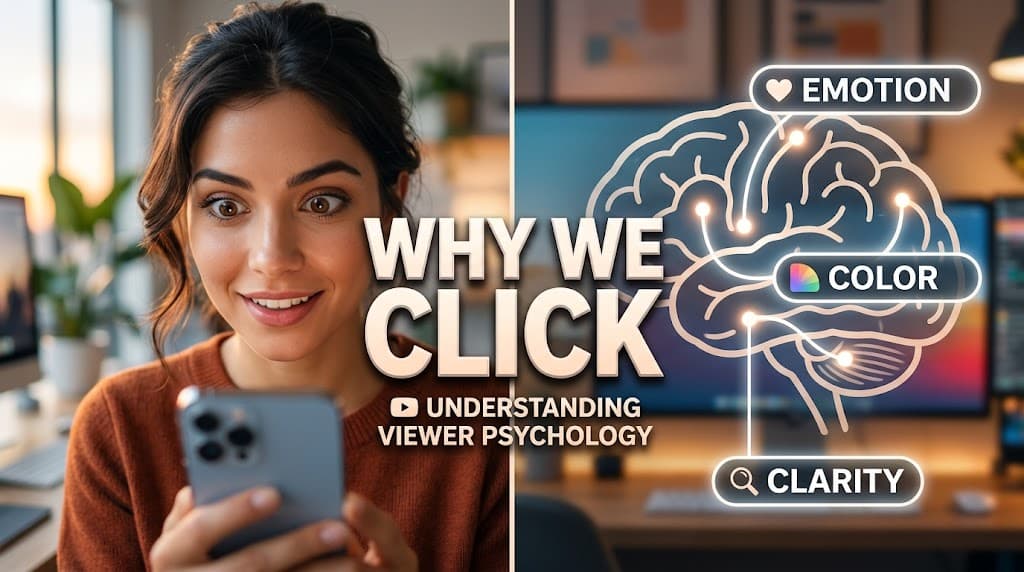
Before diving into the copy-paste templates, it is highly beneficial to understand the core design principles and viewer psychology that make these specific lifestyle visual setups so effective for the modern YouTube audience:
- Extreme Emotional Resonance: Human brains are hardwired to process facial expressions faster than text. Using these specialized thumbnail prompts for vloggers helps generate clear, expressive faces that instantly trigger empathy, curiosity, or excitement in the viewer.
- Cinematic Depth of Field: Clutter is the enemy of a good thumbnail. Our custom YouTube thumbnail ideas for lifestyle channels utilize photographic terminology like “bokeh background” and “shallow depth of field.” This ensures the main subject remains razor-sharp while the background gently blurs, directing the viewer’s eye exactly where you want it.
- Warm & Inviting Color Theory: While tech and gaming spaces often rely on harsh neon RGB lighting, successful lifestyle content thrives on natural beauty. These prompts prioritize golden hour sunlight, warm pastel tones, and cinematic color grading to build a welcoming, premium atmosphere.
- Universal Free Tool Optimization: We have specifically tested and refined these vlog youtube thumbnail prompts to work seamlessly on free AI platforms. This means you can achieve a high-end studio look without needing to invest in paid software subscriptions.
Quick Reference Table: The Lifestyle Design Strategy
| Prompt # | Style & Emotional Hook | Best Suited For… |
|---|---|---|
| 1 | The Extreme Shock (Curiosity Hook) | Surprise challenges, daily vlogs, unexpected news |
| 2 | The Golden Luxury Travel (Aspiration) | Travel vlogs, resort tours, aesthetic getaways |
| 3 | The Big Decision Story (Drama) | Life updates, personal milestones, moving vlogs |
| 4 | The Extreme Adventure (Adrenaline) | Road trips, hiking, outdoor sports, camping |
| 5 | The Cozy Productive Morning (Aesthetic) | Morning routines, study vlogs, organization |
The “Extreme Shock” Vlog YouTube Thumbnail Prompts
The Visual Strategy: Curiosity is one of the strongest drivers of human behavior. When a viewer sees someone expressing intense shock or surprise, a “curiosity gap” opens in their mind. They naturally want to know what caused that reaction. This prompt creates a beautifully lit, softly blurred living room environment that makes the facial expression the undeniable star of the image.
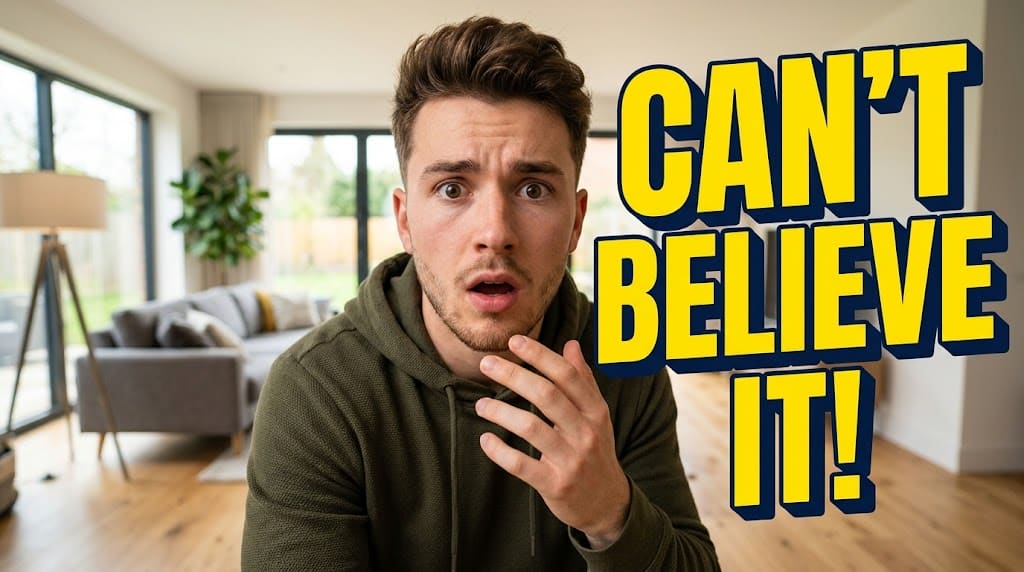
Creator Implementation Tip: While AI-generated faces look fantastic, your audience subscribes to connect with you. We highly recommend using this prompt to generate the perfect background and lighting, and then swapping the AI face with your own. Take a photo of yourself matching the shocked expression near a sunny window, use a background remover tool, and overlay your real face. (Note: This high-energy facial technique is a universal strategy. If you manage a second channel, you can apply similar clean expressions to gaming thumbnail designs to maintain visual consistency across niches.)
The “Golden Luxury Travel” Vlog YouTube Thumbnail Prompts
The Visual Strategy: Aspirational content performs exceptionally well on YouTube. Viewers often watch travel vlogs to experience destinations they dream of visiting. This prompt utilizes professional commercial photography techniques, specifically focusing on “golden hour” lighting to create a sense of premium luxury and breathtaking scale.

Design Philosophy: Readability is essential, particularly on mobile devices where thumbnails appear very small. As per YouTube’s official thumbnail guidelines, clean text with strong contrast helps ensure your title remains legible no matter the screen size.
The “Big Decision” Story Vlog YouTube Thumbnail Prompts
The Visual Strategy: Deeply personal, emotional stories often yield the highest audience retention rates because they build a genuine human connection. When a creator makes a major life change, viewers want to be part of the journey. This prompt shifts away from bright colors, generating a contemplative, moody atmosphere using cool cinematic tones and soft overcast lighting.
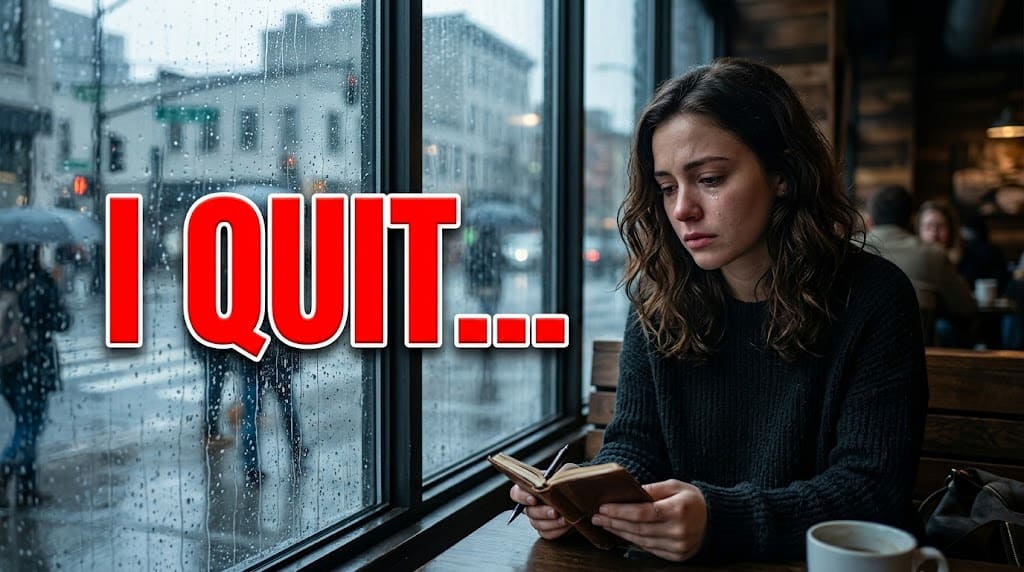
Workflow Advice: Emotional thumbnails require clean composition. Always ensure there is enough “negative space” (empty areas in the image) so your text does not overlap with the character’s face. This keeps your design looking professional, organized, and easy for the eye to process.
The “Extreme Adventure” Vlog YouTube Thumbnail Prompts
The Visual Strategy: Action and dynamic movement naturally catch the eye as users quickly scroll through their feeds. By combining a wide-angle perspective with bright, vibrant environmental colors, this prompt aims to create a feeling of adrenaline, freedom, and exploration. It is the perfect visual hook for road trips, outdoor challenges, and camping adventures.

Brand Alignment: Authenticity matters. If you feature a specific vehicle in your vlog, you should slightly modify the prompt to describe that exact vehicle (e.g., “a silver modern SUV”). This ensures visual continuity between what the viewer clicks on and what they actually watch in the video.
The “Cozy Productive Morning” Vlog YouTube Thumbnail Prompts
The Visual Strategy: The “aesthetic routine” and “study with me” community represents a massive, dedicated audience on YouTube. Viewers consume this type of content for inspiration, relaxation, and lifestyle motivation. This prompt focuses on generating clean lines, soft morning sunlight, pastel color palettes, and a highly satisfying, minimalist composition.
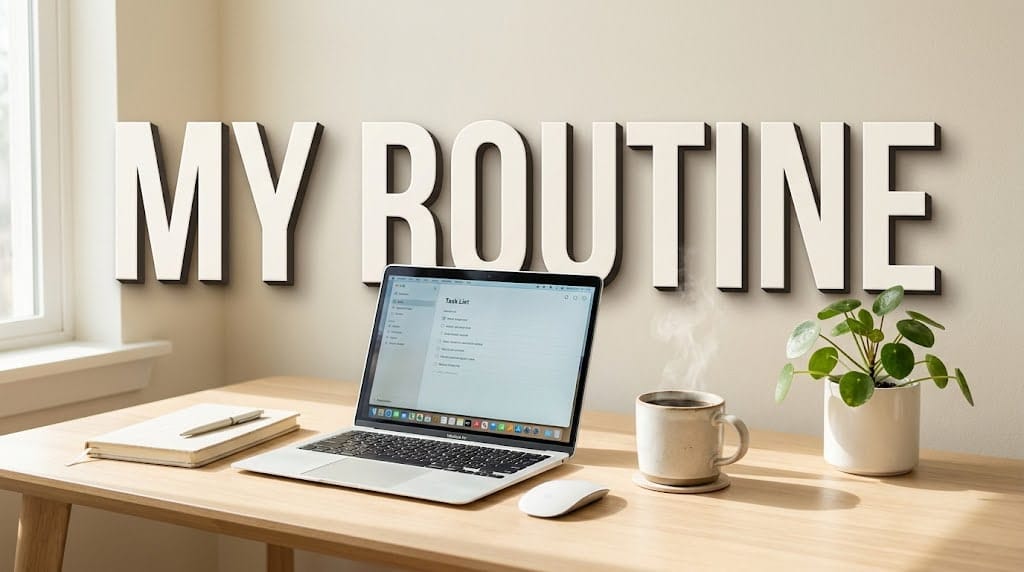
Strategic Deployment: When designing aesthetic vlogs, it is best to avoid aggressive, highly saturated neon colors for your typography. Sticking to clean whites, soft creams, or muted pastels with a very subtle shadow helps maintain the relaxing, premium vibe that this specific audience is searching for.
The Human Creator Guide: How to Seamlessly Add Your Real Photo to AI Thumbnails
The single biggest mistake new creators make is leaving an unrecognizable AI-generated face on their personal lifestyle vlog thumbnails. Your audience is subscribing to see your journey, not an avatar. Here is a step-by-step, problem-solving workflow to seamlessly blend your real image into these stunning AI backgrounds:
- Generate a Clean Canvas: Use the vlog youtube thumbnail prompts provided above. To make editing easier, you can remove the text instructions from the prompt so the AI generates a pure, clean background image.
- Analyze the Lighting: Before taking your photo, look at the AI background. Is the sunlight coming from the left? Is the room lit with warm or cool tones? Stand in your home and take a photo of yourself matching that exact lighting direction and intensity.
- The Cut-Out Process: Import the beautiful AI background into a design tool like Canva or Photoshop. Upload your smartphone photo, and use the “Background Remover” tool. Position your cut-out body over the scene, scaling it so the proportions look natural relative to the background objects.
- Color Grading and Shadows (The Crucial Step): A pasted photo often looks unnatural because the contrast levels do not match. Slightly adjust the brightness, contrast, and warmth of your cut-out photo until your skin tones blend perfectly into the AI environment. If possible, add a slight drop shadow behind yourself to create depth.
- Add Custom Typography: Finally, add your bold, eye-catching text layer on top. This pulls the entire composition together, making it look like a cohesive, high-budget thumbnail rather than a composite image.
AdSense and Brand Deals: Why High-Quality Thumbnails Matter
Beyond simply improving visual appeal, the quality of your visual branding plays a significant role in channel perception. High-quality, cinematic aesthetics signal professionalism not just to viewers, but to advertisers as well.
Premium brands in the health, travel, and lifestyle sectors prefer to associate their products with creators who maintain a clean, high-value image. By utilizing professional tools and aesthetic frameworks—a strategy frequently utilized by top-tier finance creators and business channels—you can help position your lifestyle channel as a premium destination. A polished visual identity helps build brand perception for creators.
Frequently Asked Questions (FAQ)
Can I use these prompts on free AI tools like Bing Image Creator?
Yes! Microsoft Designer (formerly Bing Image Creator) runs on the DALL-E 3 model and is completely free to use. It is highly capable of following our detailed prompt instructions, especially when it comes to accurately rendering the 3D text variations.
What should I do if the AI misspells the text in the image?
AI image generators are primarily focused on arranging pixels, not understanding linguistics, which means they can occasionally misspell words. If the AI provides a breathtaking cinematic background but messes up a letter, do not delete the image. Save it, bring it into a free editor like Canva, use a brush tool to cover the incorrect text, and simply type your own clean text over it.
Are highly stylized thumbnails considered clickbait?
Clickbait generally refers to a thumbnail that actively deceives the viewer about the actual video content. Enhancing your colors, using dramatic (but real) expressions, and utilizing high-quality backgrounds are standard optimization strategies. As long as your vlog authentically delivers on the promise made by the thumbnail (e.g., you actually take a road trip or share a big life update), optimizing your visual presentation is just smart content strategy.
Disclaimer: This article provides educational guidance on graphic design principles, photography composition, and AI prompting strategies for video creators. All concepts and strategies discussed are based on general industry observations and best practices. Applying these techniques does not guarantee specific viral performance, subscriber growth, or financial results. Always ensure your content adheres strictly to YouTube’s Community Guidelines and policies regarding thumbnail accuracy and representation.

About the Author
Hey, I’m Dharmendra Singh. I started AITool555 in early 2026 to share AI prompts that actually work.
I personally test every Midjourney, ChatGPT, and Leonardo AI prompt I publish. If it doesn’t save me time or give real results, it doesn’t make it onto this site. No fluff, just prompts I use for my own projects.
Questions? Email me: [email protected]
2 thoughts on “5 Best Free AI Vlog YouTube Thumbnail Prompts for Lifestyle Creators (2026)”