
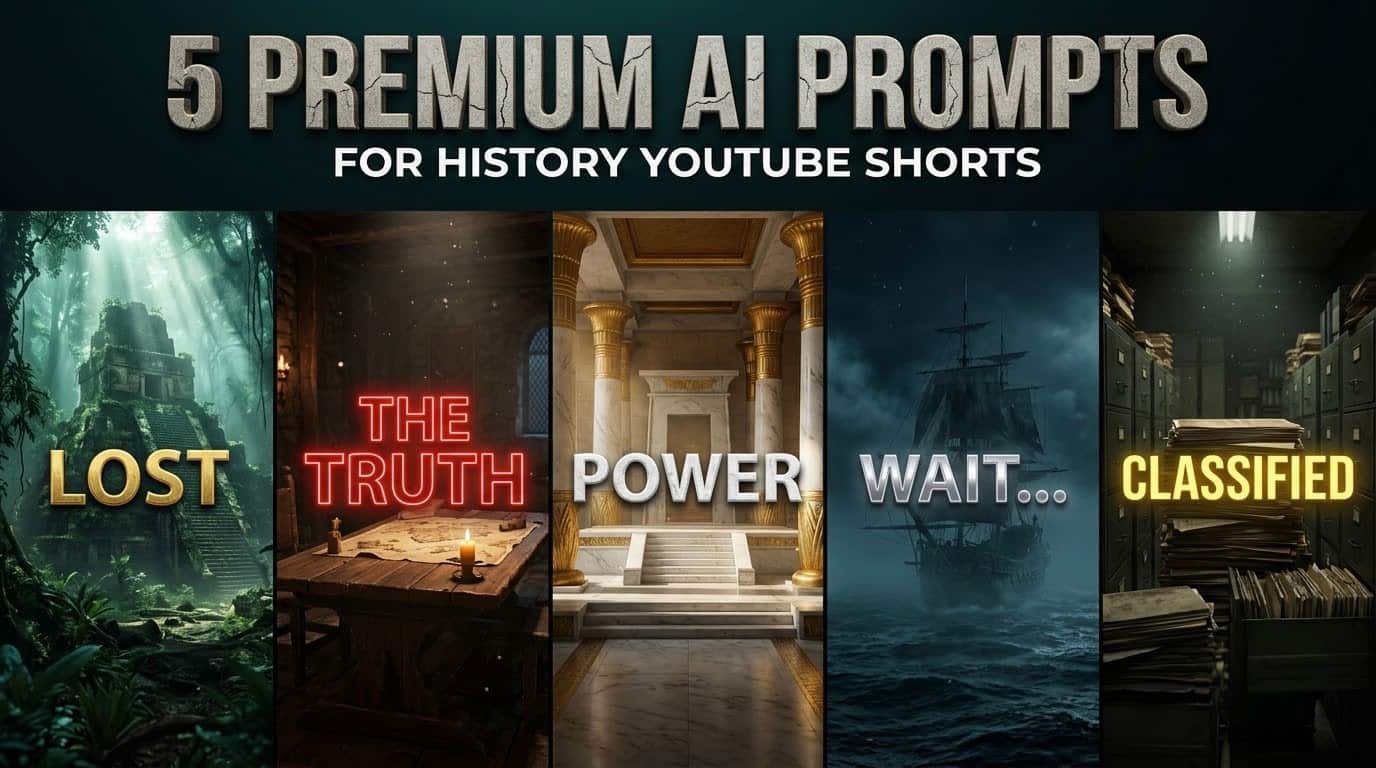
If you are building a faceless history channel, you already know how difficult it is to keep people watching past the first three seconds. Standard black-and-white photos and generic stock footage simply do not cut it anymore. To actually compete for an American audience’s attention, you need high-end, cinematic visuals that stop the scroll immediately. If you are looking for the absolute best AI prompts for history YouTube Shorts, you are in the exact right place.
In this comprehensive guide, I am sharing five fully tested, copy-paste AI background prompts. These are not your average image prompts; they feature bold, 3D text hooks natively built into the artwork—from ancient forgotten temples to highly classified government archive rooms. You can drop these into Leonardo AI or Midjourney to create premium, scroll-stopping title cards in seconds, giving your faceless history channel the high-budget feel it needs to succeed.
Let’s talk about the reality of the short-form video space right now. The competition is incredibly high. You might have the most fascinating script about the Roman Empire and a highly realistic AI voiceover, but if your opening frame looks cheap, nobody is going to stick around to listen to your story. Retention is the single most important metric for YouTube Shorts, and retention starts with the visual atmosphere of your very first frame.
Why Text-Hook Backgrounds Dominate History Shorts
When creating a faceless history channel, your biggest challenge is making the past look exciting to a modern, fast-scrolling audience. A dry picture of a king is boring. A cinematic, moody throne room with the word “POWER” hovering in 3D space is intriguing. Here is why upgrading your strategy to include 3D typography changes everything for your channel metrics:
- Instant Visual Anchoring: A clean, massive 3D text hook gives the brain something to read before the thumb can swipe away. It acts as a visual anchor.
- The “Blockbuster” Vibe: Our history shorts prompts use specific color grading cues (like teal and orange) to trick the viewer’s brain into thinking they are watching a high-budget Netflix documentary.
- Optimized for Mobile: By including the
--ar 9:16tag, we ensure the visuals perfectly fill an iPhone screen in crisp resolution, avoiding the awkward blurring that happens when you manually stretch horizontal images.
Quick Breakdown: The 5 Historical Title Cards
Before we get to the copy-paste codes, here is a quick overview of the visual styles we are building today and exactly what historical topics they fit best.
| Visual Style & Hook Text | Atmosphere & Vibe | Best Used For These History Topics |
|---|---|---|
| 1. Forgotten Empire (“LOST”) | Mysterious, overgrown, ancient | Ancient civilizations, Mayans, lost cities |
| 2. Medieval War Room (“THE TRUTH”) | Dark, tense, strategic | The Crusades, royal scandals, middle ages |
| 3. Abandoned Throne (“POWER”) | Expensive, eerie, grand architecture | Dictators, fallen empires, leadership struggles |
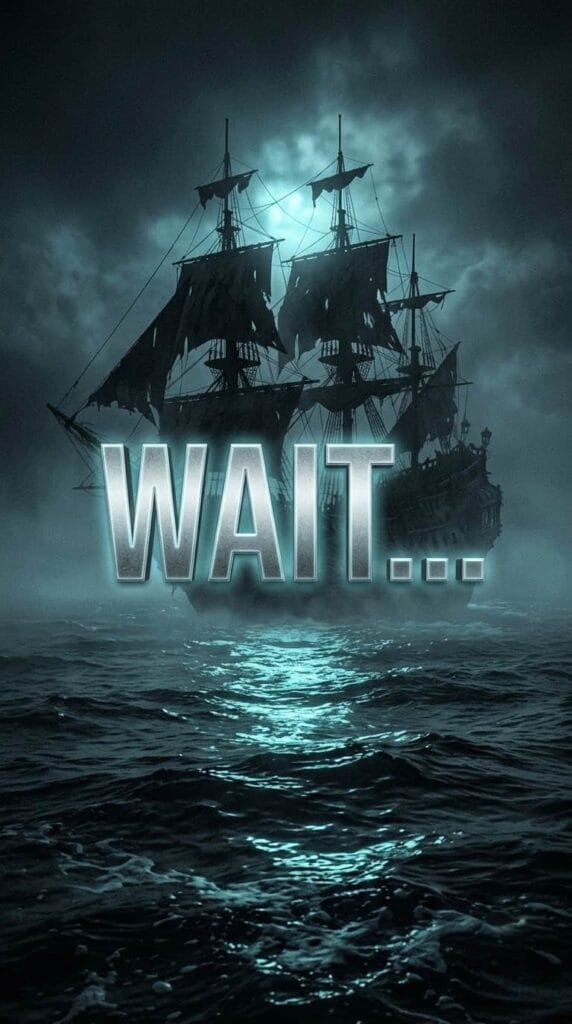
| 4. The Ghost Ship (“WAIT…”) | Moody, foggy, maritime | Pirate legends, ocean mysteries, naval battles |
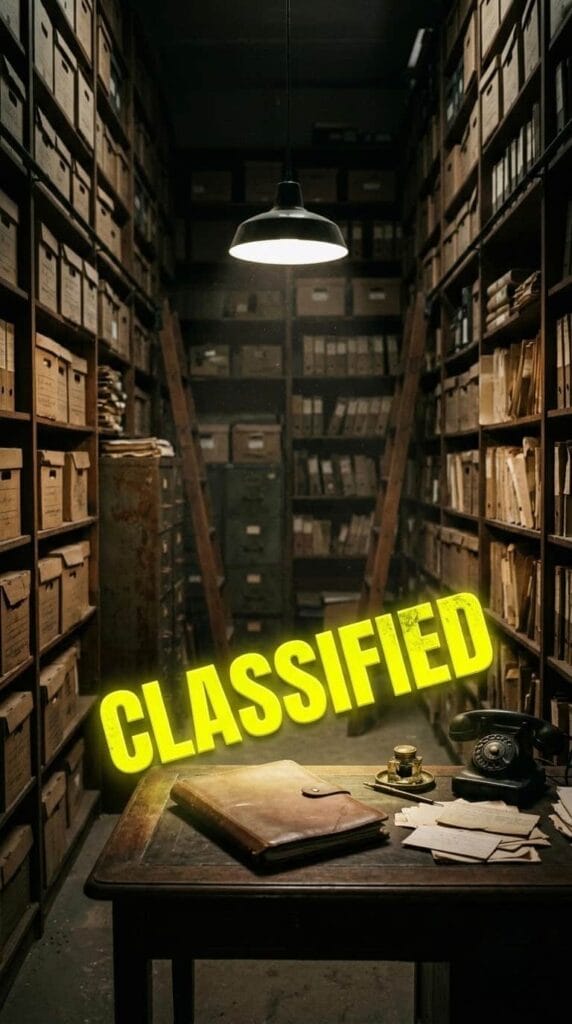
| 5. Secret Archives (“CLASSIFIED”) | Investigative, dusty, secure | World War secrets, true crime, CIA history |
The 5 Copy-Paste History AI Prompts
I have already configured the crucial --ar 9:16 aspect ratio tag at the end of every single prompt below. This ensures your output is immediately ready for vertical video formatting. Just copy the text inside the boxes and paste it directly into your preferred image generator.
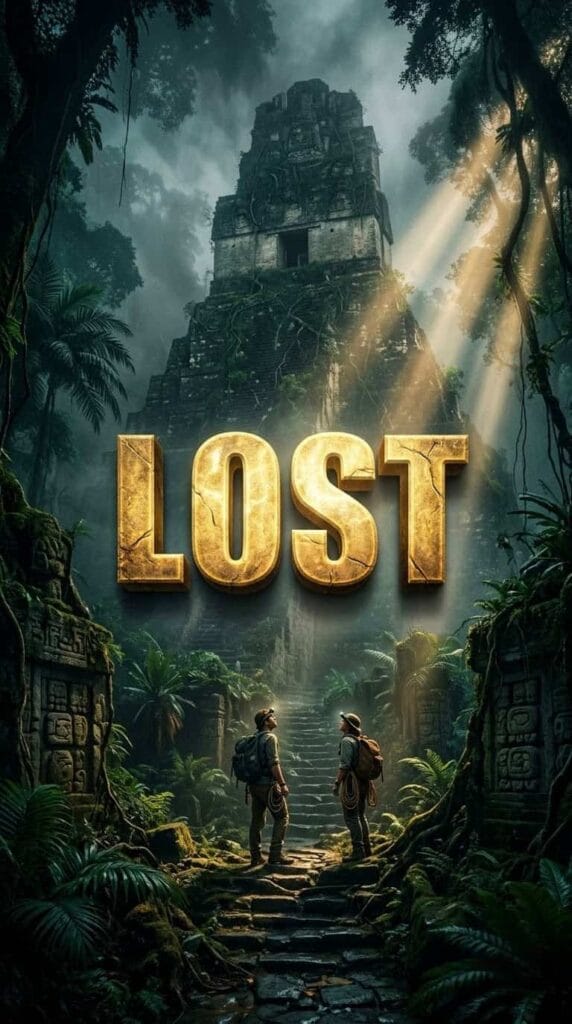
Prompt 1: The Forgotten Empire (Topic: Ancient Civilizations)
If you are telling stories about the Mayans, ancient Rome, or lost cities that disappeared overnight, this visual sets the perfect tone. The overgrown ruins create an immediate sense of mystery, while the bold text hook makes the viewer stop to see what was actually lost.
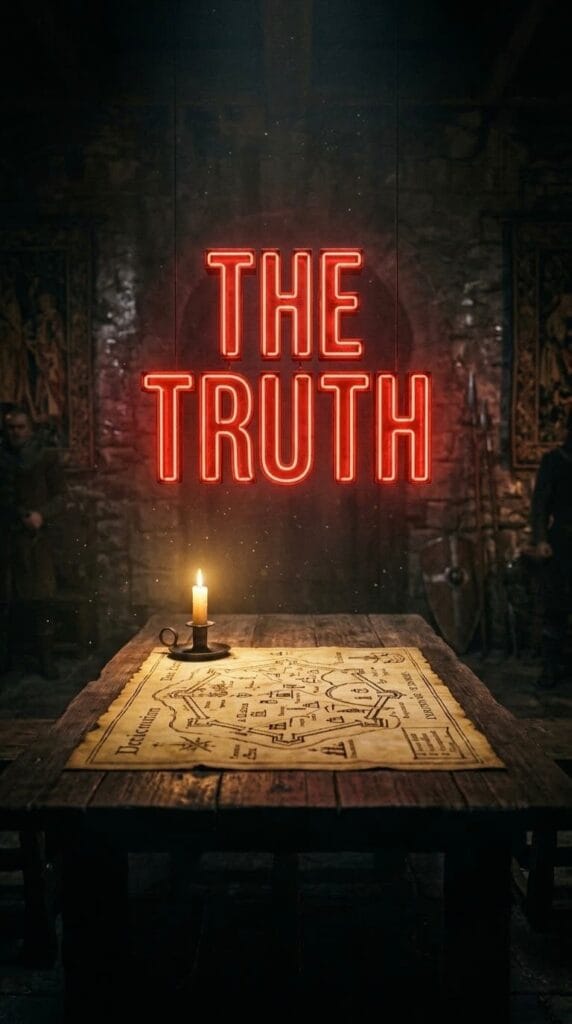
Prompt 2: The Medieval War Room (Topic: Royal Scandals & Tactics)
History is full of betrayal, secret alliances, and brutal strategies. This prompt places your audience right inside a dimly lit war room. It is highly effective for scripts covering the Middle Ages, the Crusades, or any story involving a massive historical cover-up.
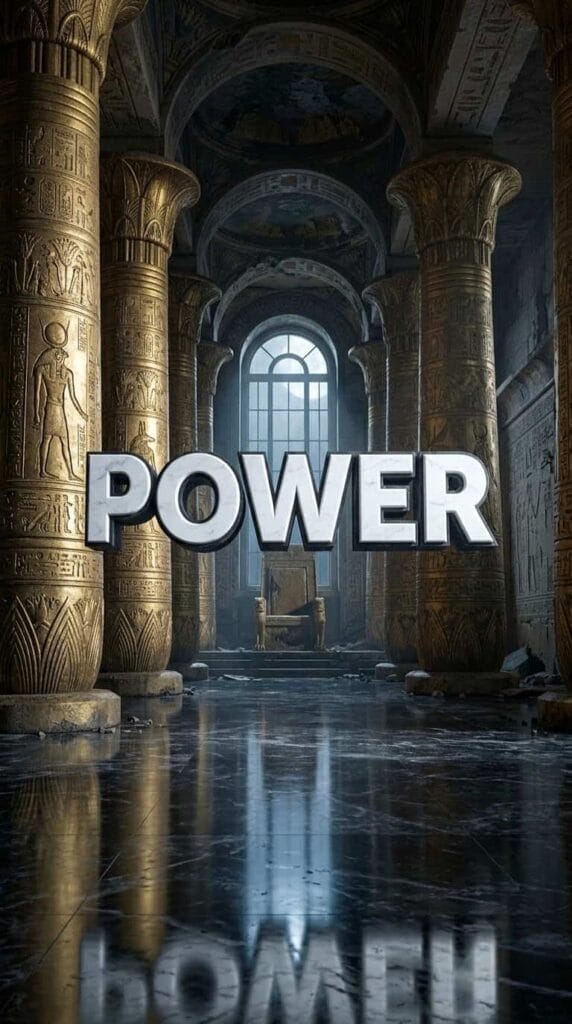
Prompt 3: The Abandoned Throne (Topic: Fallen Empires)
Nothing represents history quite like the rise and fall of powerful leaders. This grand, eerie throne room commands attention. Use this background when your script talks about ruthless kings, ancient Egyptian pharaohs, or empires that collapsed under their own weight.
Prompt 4: The Ghost Ship (Topic: Maritime Legends & Mysteries)
Ocean mysteries consistently pull massive numbers on YouTube. Whether you are covering the true story of Blackbeard, the sinking of a famous vessel, or historical maritime disappearances, this foggy, cinematic aesthetic keeps viewers hooked.
Prompt 5: The Secret Archives (Topic: Declassified & Modern History)
If your channel focuses on more recent events like the Cold War, secret government operations, or unsolved true crime from the 1900s, this is your go-to visual. The documentary-style lighting makes your content feel incredibly official and well-researched.
How to Edit These Backgrounds for Maximum Retention
Having great history AI prompts is only the first step. To actually maintain viewer retention and get the YouTube algorithm to push your content, you need to edit these images correctly. Here is a very simple workflow you can apply in CapCut or Adobe Premiere Pro:
- The Two-Second Hook: Place your generated image at the very beginning of your timeline. Leave it on screen for exactly 1.5 to 2.5 seconds. This is just enough time for the viewer to read the 3D text and register the high-quality aesthetic.
- The Slow Zoom: Never leave a static image completely still. Apply a very subtle, slow “Ken Burns” effect. Have the image scale up slightly (from 100% to 105%) during those first two seconds to create a feeling of cinematic motion.
- Audio Layering: A silent image will kill your retention. Layer in heavy sound design immediately. If you are using the “War Room” prompt, add a low bass drone and the sound of a crackling candle. Sound design makes the AI image feel like actual video production.
- The Hard Cut: Right after your script delivers the hook line (e.g., “In 1492, a secret was buried…”), cut away from this title card and switch to your dynamic B-roll, historical maps, or fast-paced captions.
Frequently Asked Questions (FAQs)
1. Which AI tool is best for generating text in images?
As of right now, Midjourney V6 and Leonardo AI are the absolute best tools for handling typography. They understand how to integrate words seamlessly into the environment without making them look like cheap stickers placed on top.
2. What do I do if the AI misbehaves and spells the word wrong?
This still happens occasionally. If you get a gorgeous image but the text says “SECRETT” instead of “SECRET,” simply use the “Vary (Region)” tool in Midjourney or the “Canvas Editor” in Leonardo. Highlight only the text area and run the prompt again to fix the spelling without changing the background.
3. Can I monetize a history channel using AI-generated images?
Yes, many creators successfully monetize faceless channels that utilize AI visuals. The critical factor for YouTube’s Partner Program is originality. Your script must be well-researched and uniquely written, and your video editing should add substantial value. Do not just run a robotic voice over a slideshow; create an actual documentary experience.
4. Do I need to add my own captions over these images?
For the first two seconds while the 3D hook text (like “LOST” or “POWER”) is on screen, keep your auto-captions turned off or make them very small at the bottom. You do not want your editing app’s captions blocking the cinematic 3D text. Once you cut to your B-roll, you can bring the big, dynamic captions back in.
5. How many prompts should I use per video?
You only need one of these text-hook prompts per video. Use it strictly as your opening title card to stop the scroll. After that, rely on standard images, zooming effects, and transitions to tell the rest of the historical story.
Explore More Niche-Specific Prompts
If you run multiple faceless channels or want to experiment with different visual styles, check out our other dedicated prompt guides to keep your audience hooked:
- 5 Best AI Prompts for YouTube Shorts Backgrounds (9:16 Text-Based)
- 5 Premium AI Prompts for Finance YouTube Shorts
- 5 Deep AI Prompts for Psychology YouTube Shorts
- 5 High-Energy AI Prompts for Gym YouTube Shorts
- 5 Viral AI Prompts for Stoic YouTube Shorts
Important Disclaimer
The information and strategies provided in this article are for educational and informational purposes only. We do not guarantee specific view counts, subscriber growth, virality, or approval into the YouTube Partner Program. YouTube’s algorithms, community guidelines, and monetization policies change frequently and are outside of our control. Building a successful YouTube channel requires consistent effort, high-quality original scriptwriting, and valuable editing. Always review YouTube’s official policies regarding AI content and fair use.
Final Thoughts
Running a successful faceless history channel comes down to treating your short-form content like a mini-movie. You are competing for attention in a highly saturated market, and standard stock photos are not going to move the needle. Take these AI prompts for history YouTube Shorts, test them out with your specific topics, and start creating opening hooks that demand attention. By pairing these visuals with solid storytelling and great audio, you put your channel in a much stronger position to grow.

About the Author
Hey, I’m Dharmendra Singh. I started AITool555 in early 2026 to share AI prompts that actually work.
I personally test every Midjourney, ChatGPT, and Leonardo AI prompt I publish. If it doesn’t save me time or give real results, it doesn’t make it onto this site. No fluff, just prompts I use for my own projects.
Questions? Email me: [email protected]