
For years, Midjourney required Discord just to generate AI art. In 2026, that’s no longer true. The company now offers a full browser-based interface that lets you create images without touching Discord at all. (How to Use Midjourney Without Discord)
You can now sign in with a Google account, type prompts into a clean dashboard, and download images directly. No more /imagine commands or scrolling through crowded servers to find your work. Midjourney states that the web app is now the primary way most people access the platform.
Why Midjourney Moved Beyond Discord
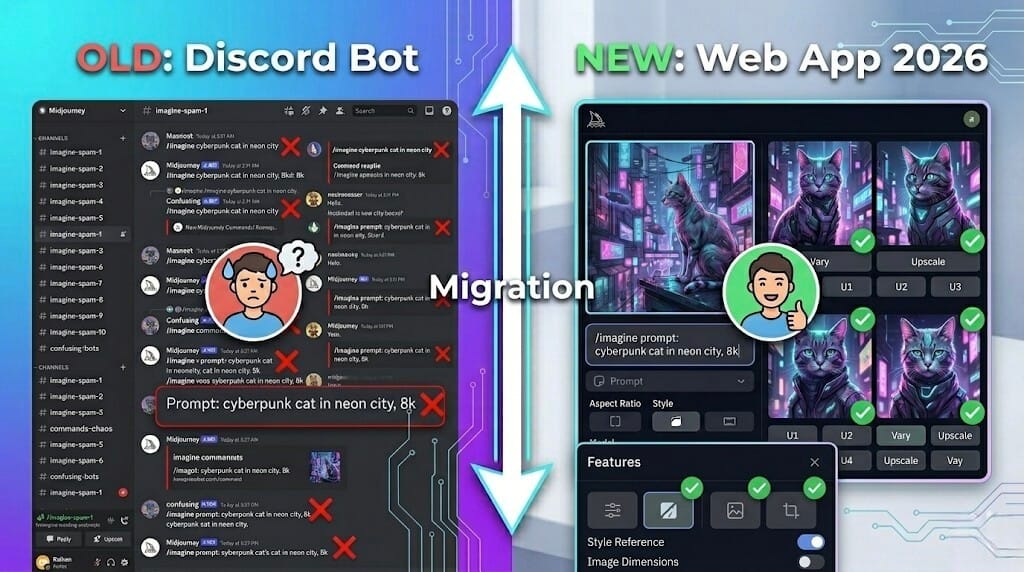
Launching as a Discord bot made sense during Midjourney’s early days. It helped the team deploy quickly and build a massive community. But user feedback showed it created barriers for people unfamiliar with Discord.
Designers wanted clean, organized workspaces. Bloggers didn’t want to learn chat syntax. Business owners just wanted to type a description and get a file. The old setup was becoming a roadblock for everyday creators.
That’s where the official Midjourney website comes in. The dashboard replaces text commands with clickable buttons and visual editors. For most workflows, the web version feels faster and cleaner for organizing prompts compared to Discord chat rooms. Current platform information shows Discord is now kept as a legacy option for users who prefer the old environment.
How to Use Midjourney on the Website Without Discord
Based on Midjourney’s help documentation as of May 2026, here’s the standard setup process:
Step 1: Create Your Account
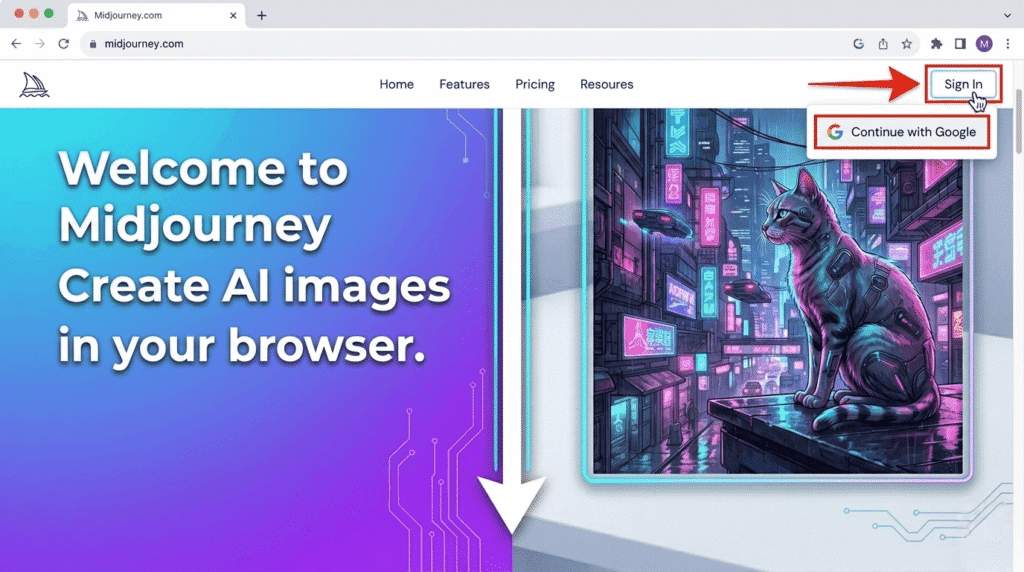
- Go to the official Midjourney website
- Click the “Sign In” button in the top right corner
- Choose “Continue with Google” to link your profile without needing a Discord handle
New users can complete registration entirely through Google. If you have an older Discord-based subscription, you can still log in with those credentials to sync your history, but it’s no longer required.
Step 2: Choose Your Midjourney Pricing Plan
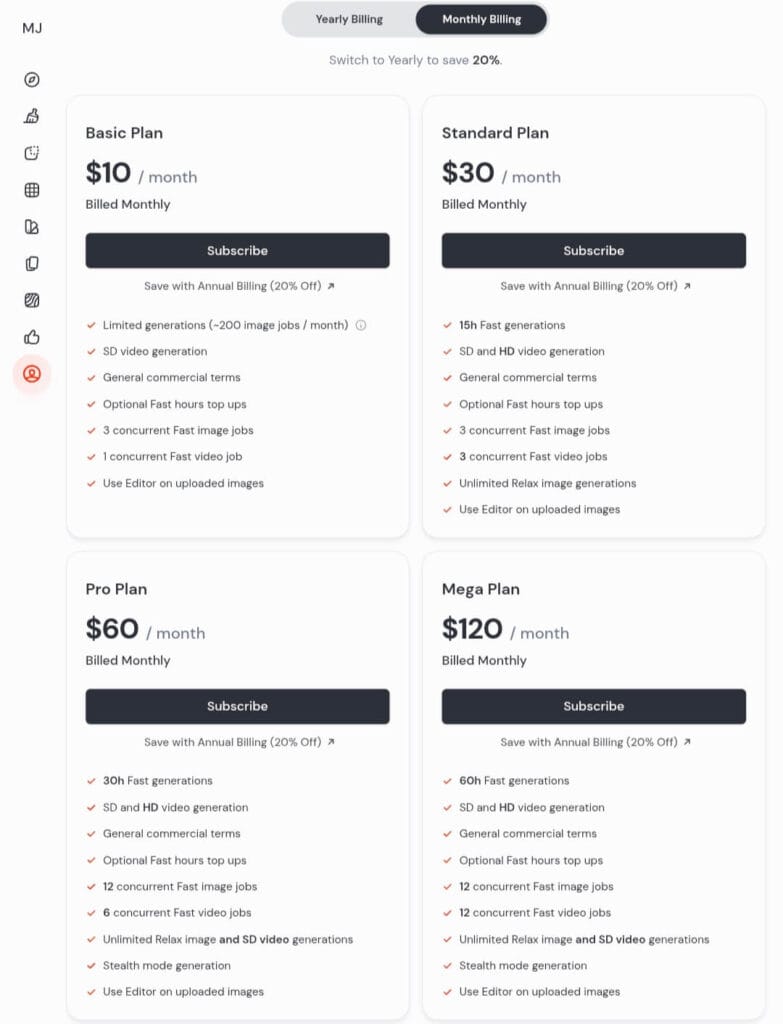
Since free access isn’t available, you’ll need a paid tier. You can review current rates on the official pricing page. As of May 2026, here are the published tiers:
| Plan | Monthly Price | What You Get | Key Features |
|---|---|---|---|
| Basic | $10/month ($8/month annual) | – 3.3 hours of Fast GPU time – Roughly several hundred images per month depending on settings – SD video generation | – 3 concurrent Fast jobs – 1 concurrent video job – Editor access – No Relax Mode |
| Standard | $30/month ($24/month annual) | – 15 hours Fast GPU time – Unlimited Relax Mode images – SD & HD video generation | – 3 concurrent Fast jobs – 3 concurrent video jobs – Editor access – Popular choice for regular users |
| Pro | $60/month ($48/month annual) | – 30 hours Fast GPU time – Unlimited Relax images & SD video – SD & HD video generation | – 12 concurrent Fast jobs – 6 concurrent video jobs – Stealth Mode for privacy – Editor access |
| Mega | $120/month ($96/month annual) | – 60 hours Fast GPU time – Unlimited Relax images & SD video – SD & HD video generation | – 12 concurrent Fast jobs – 12 concurrent video jobs – Stealth Mode for privacy – Editor access |
Step 3: Generate Your First Image
Once your plan is active, head to the “Create” page. You’ll see a text entry bar at the top for your prompts.
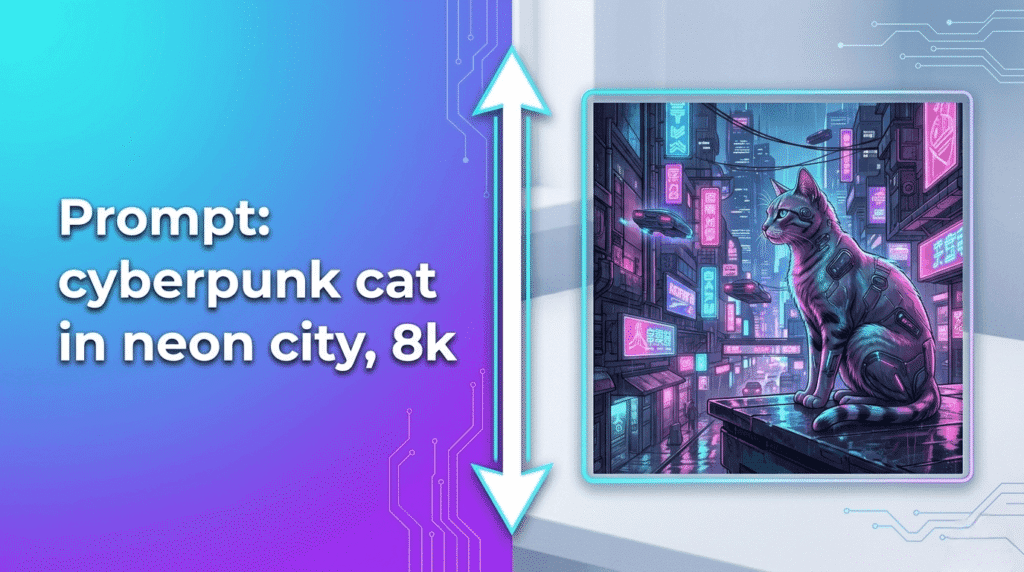
After you submit a prompt, Midjourney generates four different versions to choose from. The website uses the latest model versions available in 2026 by default.
Step 4: Edit and Refine Your Images
The web interface uses visual controls instead of chat commands. You no longer need to memorize parameters or button codes:
- Upscale: Click any image from the grid to increase resolution
- Create Variations: Use “Vary” for updates, or select specific regions to repaint sections
- Web Editor: Built-in canvas tools let you pan, zoom, and modify parts of an image. This smooth visual process is exclusive to the website
- Image-to-Video: Turn static generations into short AI clips from 5 to 21 seconds using interface settings
Website vs Discord: Feature Comparison
| Feature | Midjourney Website | Discord Bot |
|---|---|---|
| Learning Curve | Visual interface with buttons and sliders. Beginner-friendly. | Requires learning text commands and parameters. |
| Editing Tools | Built-in canvas editor with inpainting, pan, zoom, and region selection. | Basic button reactions only. No visual editing interface. |
| Image References | Drag-and-drop file uploads for style and character references. | Must manually host images and paste URLs with parameters. |
| Privacy | Personal feed keeps work organized. Images may appear on public Explore unless you have Stealth Mode. | Public channels unless you DM the bot directly. |
| Video Generation | Direct image-to-video workflow with preview and download options. | Available but less streamlined according to user reports. |
For beginners or anyone wanting an uncluttered workspace, the website is usually easier. Finding old files and keeping projects sorted is much faster in the web app. The Discord version remains available if you enjoy the social aspect or want to browse public feeds, but it’s no longer required.
Frequently Asked Questions
Can I use Midjourney without Discord?
Yes. Midjourney now offers a browser-based web app that works without Discord. You can sign in using a Google account and generate images directly from the website.
Does Midjourney have a free trial?
No. There is no free trial available on the main platform as of May 2026. Creating images requires a paid subscription starting at $10 per month.
Can I generate even 1 free image on Midjourney?
No. Midjourney does not provide free credits or trial images on its website or Discord. Access to the image generator requires an active paid subscription. The only limited free trial exists on the separate niji・journey mobile app.
Is there any way to test Midjourney features without a subscription?
The only official alternative is the standalone mobile app, niji・journey, which occasionally offers limited trial promotions. The core web platform requires a subscription.
Can I keep my images completely private?
Generations are stored in a personal feed but may appear in the community public gallery. To prevent public listing, you need a Pro or Mega plan subscription to enable Stealth Mode.
Did Midjourney remove the “1,000 images on Discord first” restriction?
Yes. That requirement from the closed beta phase has been removed. Anyone with an active subscription can access the website immediately.
Free Alternatives to Midjourney in 2026
If you need AI images without a subscription, these tools offer free tiers as of May 2026:
- Leonardo.ai: 150 free images daily as listed on their website
- Adobe Firefly: 25 free credits per month, trained on licensed Adobe Stock
- Bing Image Creator: Free with Microsoft account, powered by DALL-E 3
- Ideogram: Free daily limit, known for accurate text rendering in images
The Bottom Line
If you avoided Midjourney because of Discord requirements, the web app solves that problem. Midjourney states that the browser interface is now the primary way to access the platform.
Before subscribing, comparing features with other tools like ChatGPT image generation, Leonardo AI, or Ideogram helps determine which interface fits your workflow best.
For most users, the web version removes the friction that came with Midjourney’s Discord-only era, making it easier to bring visual ideas to life.
Read Next: How to Start a Faceless YouTube Channel in 2026 Using Free AI Tools
Disclaimer
Accuracy & Updates: This guide is based on publicly available information and Midjourney’s website as of May 24, 2026. AI platforms update frequently. Always verify current pricing, features, and terms directly at midjourney.com before subscribing.
No Affiliation: This article is independent and not endorsed by, sponsored by, or affiliated with Midjourney, Inc. or Discord, Inc. Midjourney is a trademark of Midjourney, Inc. All product names and trademarks are property of their respective owners.
Not Professional Advice: This content is published for general informational and educational purposes only and does not constitute financial, legal, or professional advice.
Third-Party Services: Midjourney is a third-party service. We are not responsible for its availability, pricing changes, terms of service, or data practices. This article is for educational review purposes only.

About the Author
Hey, I’m Dharmendra Singh. I started AITool555 in early 2026 to share AI prompts that actually work.
I personally test every Midjourney, ChatGPT, and Leonardo AI prompt I publish. If it doesn’t save me time or give real results, it doesn’t make it onto this site. No fluff, just prompts I use for my own projects.
Questions? Email me: [email protected]
1 thought on “How to Use Midjourney Without Discord in 2026: Complete Guide”