
Last Updated: May 25, 2026 | 8 min read
What Is Gamma AI?

Gamma is an AI-powered presentation and document creation platform that works directly inside your browser. Instead of manually designing slides from scratch, users can generate presentation outlines, webpages, reports, and visual documents using simple text prompts.
For example, you can type a request like:
“Create a startup pitch deck for a coffee subscription brand.”
Gamma then automatically builds a structured presentation with layouts, headings, sections, and design elements within seconds.
One reason Gamma has grown quickly is its responsive layout system. Presentations automatically adjust across desktop and mobile screens without requiring extensive manual formatting.
As of May 2026, Gamma primarily operates through its web app and does not offer a full desktop application experience similar to traditional offline presentation software.
Gamma AI Pricing Plans in 2026
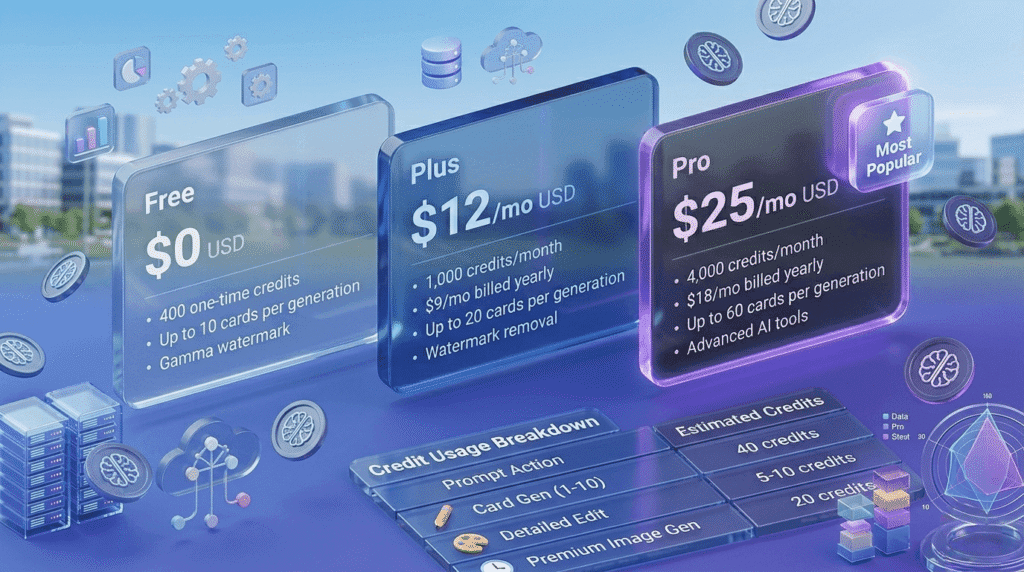
Gamma currently offers three primary plans for individual users: Free, Plus, and Pro. The biggest differences involve monthly AI credits, maximum presentation size, analytics access, and customization tools.
| Plan | Monthly Billing | Annual Billing | Main Features |
|---|---|---|---|
| Free | $0 | $0 | • 400 one-time starter credits • Up to 10 cards per AI generation • Gamma watermark remains visible • Basic design and editing tools |
| Plus | $12/month | $9/month ($108 billed yearly) | • 1,000 monthly AI credits • Up to 20 cards per generation • Watermark removal • Folder organization features |
| Pro | $25/month | $18/month ($216 billed yearly) | • 4,000 monthly AI credits • Up to 60 cards per generation • Advanced AI image tools • Presentation analytics • Custom fonts and branding options • Password-protected sharing |
Note: Plans and credit limits can change. For the latest updates, check the official Gamma AI pricing page.
Monthly vs Annual Billing
Gamma offers discounted pricing for users who choose yearly billing instead of paying month-to-month.
The Plus plan drops from $12/month to around $9/month with annual billing, while the Pro plan decreases from $25/month to roughly $18/month when billed yearly.
For long-term users, annual billing can reduce costs noticeably over time. However, monthly billing still makes more sense for users who only need Gamma for short-term projects or testing.
How Gamma Credits Work
Gamma does not charge based on the number of saved presentations. Instead, the platform uses AI credits whenever automated features are used.
Different actions consume different amounts of credits depending on complexity.
Typical Credit Usage
- Generating a new presentation:
Usually around 40 credits for a standard AI-generated deck. - AI editing and rewriting:
Often costs between 5 and 10 credits depending on the request. - AI image generation:
Typically uses several credits per image variation.
In practical usage, the free plan is usually enough for testing the platform and creating a small number of presentations. Heavy editing, repeated rewrites, and image generation can consume credits much faster.
Some paid plans may allow limited credit rollover between billing cycles, although rollover limits and policies can change over time.
Which Gamma Plan Is Best?

The right plan depends mostly on how frequently you create presentations and how heavily you rely on AI-generated edits.
Free Plan
- Best for beginners testing the platform
- Useful for students and personal projects
- Works well for occasional presentations
Plus Plan ($9–$12/month)
- Good for freelancers, bloggers, and creators
- Removes Gamma branding from presentations
- Provides enough monthly credits for regular use
- Suitable for client-facing work
Pro Plan ($18–$25/month)
- Designed for teams and business workflows
- Supports larger presentations and more AI usage
- Includes analytics and advanced customization
- Helpful for agencies and sales presentations
What Happens When Credits Run Out?
If your account reaches zero credits before the billing cycle resets, you can still manually edit existing presentations. Basic editing tools continue working normally.
However, AI-powered features like automatic generation, AI rewriting, and prompt-based edits become unavailable until credits refresh or the account is upgraded.
Frequently Asked Questions
Is Gamma better than PowerPoint?
It depends on your workflow. PowerPoint still offers deeper manual design control, but Gamma is much faster for generating structured presentations from simple prompts. Many users prefer Gamma when speed matters more than advanced slide customization.
Can people view Gamma presentations without an account?
Yes. Shared presentation links can usually be opened directly in a browser without requiring viewers to create a Gamma account.
Does Gamma work offline?
No. Gamma is primarily a browser-based platform and requires an internet connection for AI generation and cloud access.
Can Gamma presentations be exported to PowerPoint?
Yes. Gamma supports exporting presentations to formats like PDF and PPTX. However, some layouts or embedded elements may require minor formatting adjustments after export.
Final Thoughts on Gamma AI Pricing
Gamma offers a flexible pricing structure that works well for both casual users and professional teams. The free plan provides a solid introduction to the platform, while the Plus plan is likely the best fit for most independent creators and freelancers.
Users handling large presentation volumes, client reporting, or advanced branding requirements may benefit more from the Pro plan and its expanded feature set.
Before subscribing to any paid tier, it’s a good idea to estimate how often you’ll use AI generation features since credit consumption can vary significantly depending on your workflow.
For many individual creators, the Plus plan offers the best balance between monthly cost, presentation limits, and ongoing AI credit usage.
Also Read: How to Use Midjourney Without Discord in 2026 – Complete Guide
Disclaimer
Pricing Accuracy:
This article is based on publicly available pricing and feature information available as of May 2026. Gamma may update plans, features, or credit policies over time.
Independent Review:
This content is informational only and is not sponsored or officially affiliated with Gamma.

About the Author
Hey, I’m Dharmendra Singh. I started AITool555 in early 2026 to share AI prompts that actually work.
I personally test every Midjourney, ChatGPT, and Leonardo AI prompt I publish. If it doesn’t save me time or give real results, it doesn’t make it onto this site. No fluff, just prompts I use for my own projects.
Questions? Email me: [email protected]
1 thought on “Gamma AI Pricing 2026: Plans, Credits, and Real Monthly Costs”