
The short version: Murf AI’s free plan gives you 10 minutes of voice generation and 10 projects total. No credit card needed. But you can’t download the audio, and you can’t use it to make money. It’s just for testing the voices. If you actually need to use the files, you’ll need the $19/month Creator plan that lets you download and gives you commercial rights.
Finding a decent AI voice generator in 2026 is a pain. Half of them sound like robots from 2010. The other half cost way too much, or they lock every useful feature behind a paywall.
Murf AI keeps popping up everywhere for creators who need voiceovers fast. So here’s what I actually care about: Can you get any real work done with the Murf AI free plan?
I fired up Murf Studio Mobile and pulled up the pricing page on June 18, 2026. Straight talk here. No fluff. Just what you get, what you don’t, and who should bother with the free plan.
What Is Murf AI and How Does It Work?
Murf AI is a website where you paste text and it spits out a voiceover that sounds like a real person. The whole point is to skip the hassle. No booking a studio. No hiring a voice actor. No messing with a mic. If you’re a YouTuber, make online courses, or run a small business, that’s the pitch.
I dropped a 40-word script into Murf Studio Mobile to test it. The voice was done in maybe 20 seconds. From logging in to hearing the preview, it took under 2 minutes total. There’s a note in the mobile app that says: “For advanced features, open murf.ai in desktop”. So the phone version is just for a quick test.
How to Make a Voice on the Free Plan: Step by Step
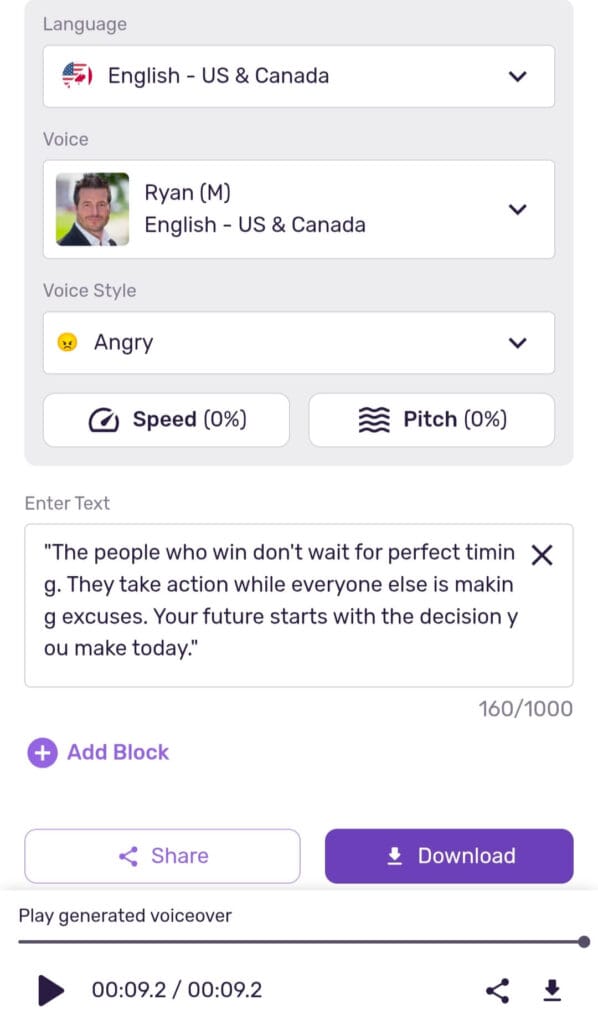
- Pick a Language: “English – US & Canada” is right at the top of the list.
- Pick a Voice: You get to scroll through their library and test different male and female voices.
- Set the Style: Choose a mood for your script. Like Promo, Conversational, or Sad.
- Paste Your Script: Drop your text into the box.
- Hit Play: Click the play button and it generates the audio right there. You can listen instantly.
Murf AI Pricing in 2026: How Much Does It Actually Cost?
Note: All the prices and limits below came straight from the official Murf.ai pricing page on June 18, 2026. I’m adding screenshots for proof.
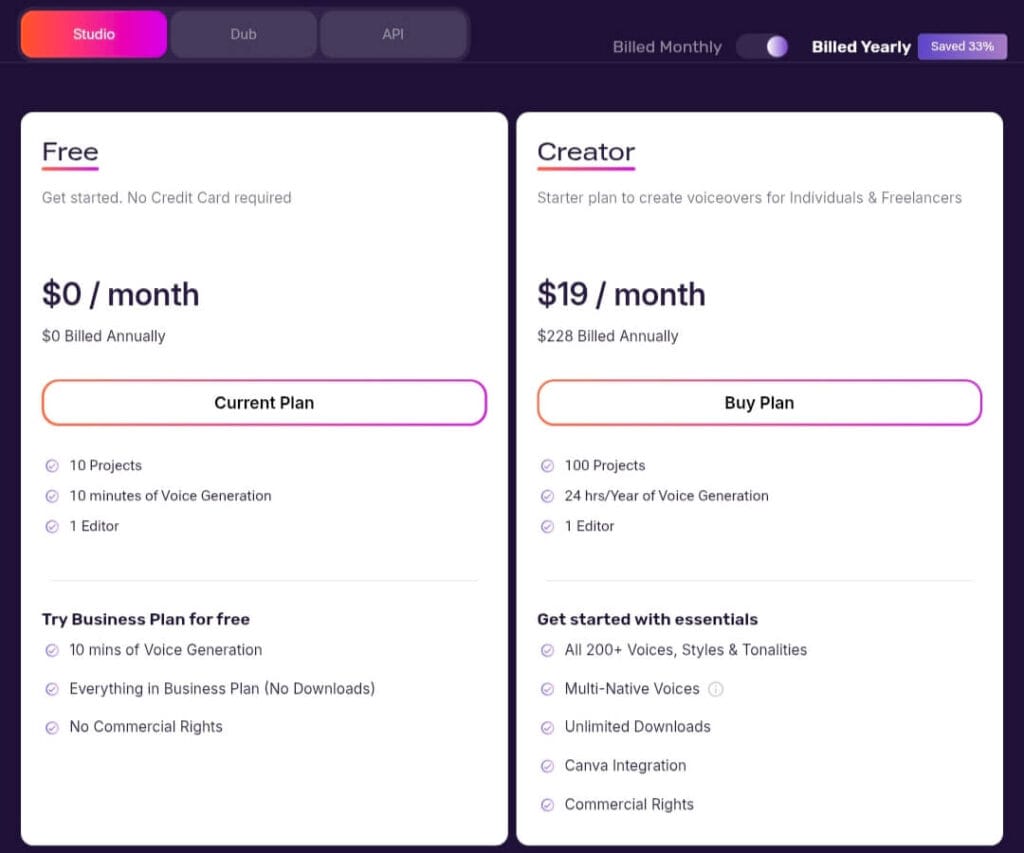
Murf AI Plans Compared Side by Side
| Plan | Monthly | Yearly | Projects | How Much Voice You Can Make | Downloads | Can You Make Money With It? |
|---|---|---|---|---|---|---|
| Free | $0 | $0 | 10 | 10 minutes total | No | No |
| Creator | $19 | $228 | 100 | 24 hours / Year | Unlimited | Yes |
| Business | $66 | $792 | 500 | 96 hours / Year | Unlimited | Yes, Business License |
| Enterprise | Contact them | Contact them | Unlimited | Unlimited | Unlimited | Yes, Full License |
What the Free Plan Limits Actually Mean
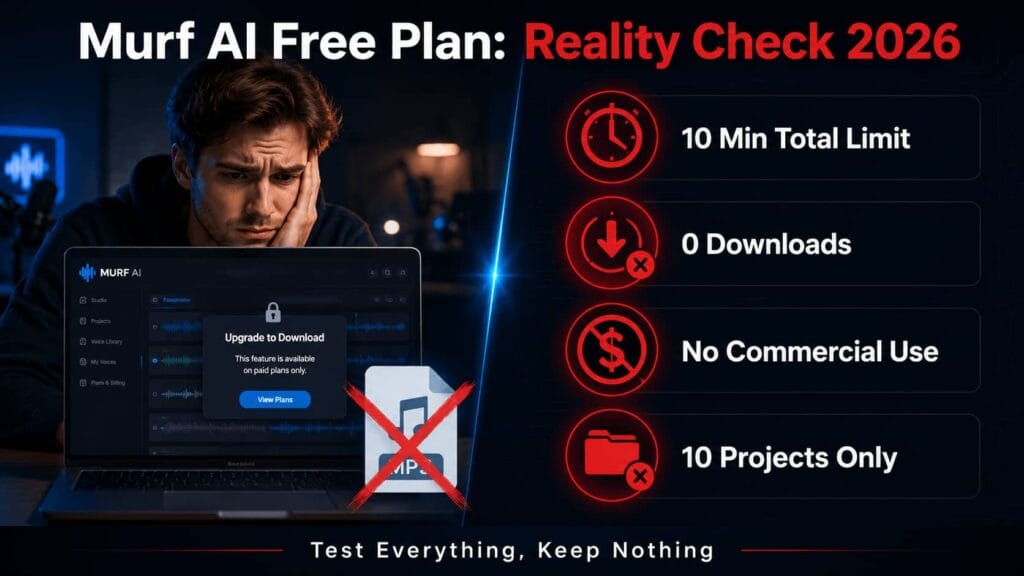
The free plan lets you in the door, but there are walls everywhere. Here’s what it looks like in real life:
| Feature | Free Plan Limit | So What? |
|---|---|---|
| Voice Generation | 10 minutes total | You can probably make 5 or 6 short voiceovers before you’re out. And this doesn’t reset every month. Once you use 10 minutes, you’re done until you upgrade. |
| Projects | 10 Projects | You can save 10 separate scripts or files in your dashboard. |
| Downloads | None | Try to hit export and you get a popup: “Upgrade to Download. You are on free plan.” You can’t get an MP3 file. |
| Commercial Use | Not allowed | The plan literally says “No Commercial Rights”. You legally can’t use the audio in a monetized YouTube video or for a client. |
| Credit Card | Not needed | The site says “Get started. No Credit Card required”. You can sign up and test without risk. |
The Real Deal: The free plan lets you test everything, but you can’t keep anything. They built it as a demo, not a tool you can actually work with.
For students: If you need AI tools for multiple assignments without these strict download limits, check out these 4 best AI tools for homework in 2026 that actually let you download and submit your work.
Who Should Actually Use the Murf AI Free Plan in 2026?
Based on what’s on their pricing page, the free plan only makes sense for a few people.
3 People Who Should Use the Free Plan
- You’re comparing AI voice tools: If you’re stuck between Murf and something like ElevenLabs, the free plan lets you hear Murf’s voices without paying a dime.
- You’re a student or teacher: Got a class presentation where you just need to play the audio live? Not selling it? That falls under personal use, so you’re fine.
- You need to show your team: If you’re a video editor trying to convince your boss to buy Murf, use the 10 minutes to show them how easy it is.
3 People Who Should Skip the Free Plan
- You need an MP3 file: If you need to drop the audio into Premiere Pro or CapCut, forget it. The free plan blocks exports completely.
- You have a YouTube channel that makes money: Using a free plan voiceover in a monetized video breaks their terms. You need the Creator plan at minimum for commercial rights.
- You need more than 10 minutes: That 10-minute limit is for the life of your account. If you have real projects, you’ll blow through that in a day.
Is the Creator Plan Worth It?
The pricing page lists Creator at $19/month or $228 for the year.
Yearly saves you money: The site says “Billed Yearly – Saved 33%”. If you’re making voiceovers every week, the yearly Creator plan is the starting point.
What Do You Get When You Pay for Murf AI?
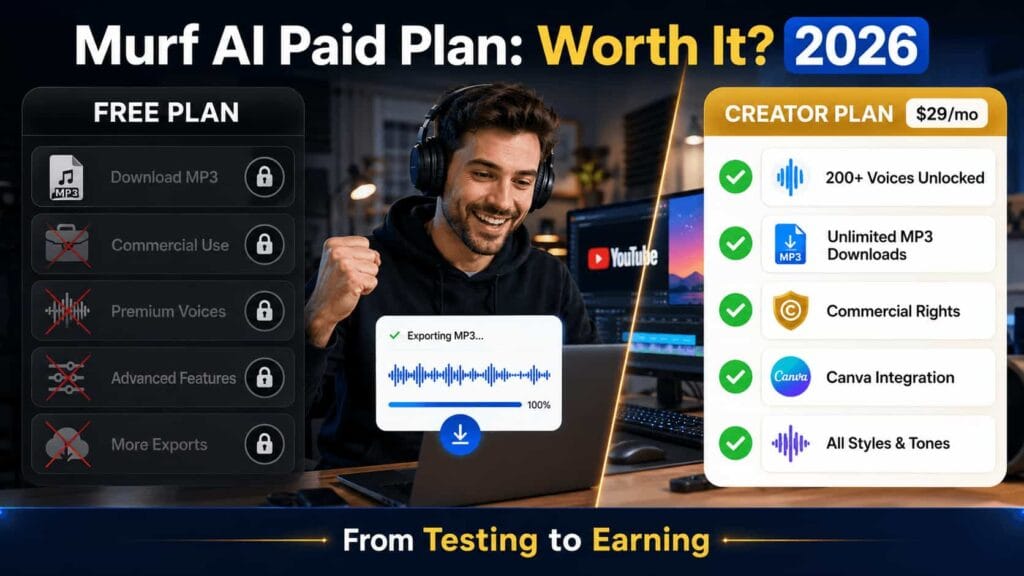
From the feature chart on their pricing page:
- Creator Plan includes: All 200+ voices, every style and tone, unlimited downloads, Canva integration, and commercial rights.
- Business Plan adds: Word emphasis, voice variability, PowerPoint integration, and audio-to-text.
- Enterprise Plan adds: Custom voice clones as an add-on, company login stuff, and a dedicated support person.
What’s missing on Free: The list clearly shows “No Commercial Rights” and downloads are blocked.
Murf AI Free Plan: The Final Word
The Murf AI free plan doesn’t lie about what it is. It’s a product demo.
What’s good about it: You can hear how good Murf’s voices sound and test the interface for $0. Not asking for a credit card removes the friction.
Where it fails: Anyone who needs to download a file or use the audio for business is stuck. No commercial rights and blocked downloads are deal-breakers.
If you’re making a video for a client or your monetized channel, you have to upgrade to Creator. If you just want to see if you like Murf before you commit, the free plan does that job.
Beyond Voiceovers: Complete Your Toolkit
Murf AI handles your voiceover needs. For writing essays, research, and managing college projects, check out how Notion AI helps college students in 2026. You can export everything and own 100% of your work.
Murf AI Free Plan: Common Questions
1. Is Murf AI actually free to start?
Yes. As of June 18, 2026, Murf AI has a Free plan for $0 per month. The pricing page says “No Credit Card required” to sign up. You get 10 projects and 10 minutes of voice generation.
2. Can I use Murf AI for YouTube videos on the free plan?
Only if the videos aren’t monetized and aren’t for a client. The Free plan says “No Commercial Rights”. For monetized channels, you need Creator or higher.
3. Why can’t I download audio on the Murf AI free plan?
When you try to export, a popup says: “Upgrade to Download. You are on free plan.” Downloads are an “Unlimited” feature only on Creator, Business, and Enterprise plans.
4. Does the 10-minute limit reset every month?
No. The plan says “10 minutes of Voice Generation” as a total limit, not monthly. Once you use the 10 minutes, you have to upgrade to make more audio.
5. How much is the Murf AI Creator plan per year?
On the June 18, 2026 pricing page, the Creator plan is $19/month or $228 Billed Annually. The yearly option shows “Saved 33%”.
6. Can I clone my own voice with the Murf AI free plan?
No. “Custom Voice Clones” is listed as an Enterprise feature only. It’s not available on Free, Creator, or Business.

About the Author
Hey, I’m Dharmendra Singh. I started AITool555 in early 2026 to share AI prompts that actually work.
I personally test every Midjourney, ChatGPT, and Leonardo AI prompt I publish. If it doesn’t save me time or give real results, it doesn’t make it onto this site. No fluff, just prompts I use for my own projects.
Questions? Email me: [email protected]
1 thought on “Murf AI Free Plan Review 2026: What You Actually Get vs What You Don’t”