
Last Updated: April 29, 2026
Disclaimer: This article is for educational purposes only. Leonardo AI’s tokens, models, and features can change based on company policy. Always check the official site for the latest updates.
Leonardo AI free plan 2026 gives you 150 daily tokens to create professional AI art. In 2026, Leonardo AI is still one of the most powerful image generators around, and yes, you can use it completely free if you know how the token system works. This guide breaks down the real, tested methods to maximize your daily output without paying a cent. No hacks, no shady tricks. Just the official features Leonardo gives every free user.
If your generated images have watermarks, check our guide: 7 Best AI Tools to Remove Watermarks Free 2026.
Is Leonardo AI Actually Free in 2026?
Yes, it is. Leonardo AI runs on a freemium model. Every new account gets 150 free tokens every 24 hours on the Free Plan. Leonardo officially calls them “Tokens,” not credits.
Here is the catch most people miss: Unused tokens do not roll over. If you don’t use your 150 tokens today, your balance resets to 150 tomorrow. To get the full value, you need to use them daily.
One image can cost anywhere from 1 to 20 tokens depending on your settings. If you use the Leonardo Phoenix model at 512×768 with Alchemy OFF, each image costs just 1 token. That means you can generate up to 150 images per day for free with the right setup.
Step 1: Set Up Your Free Account in 2 Minutes
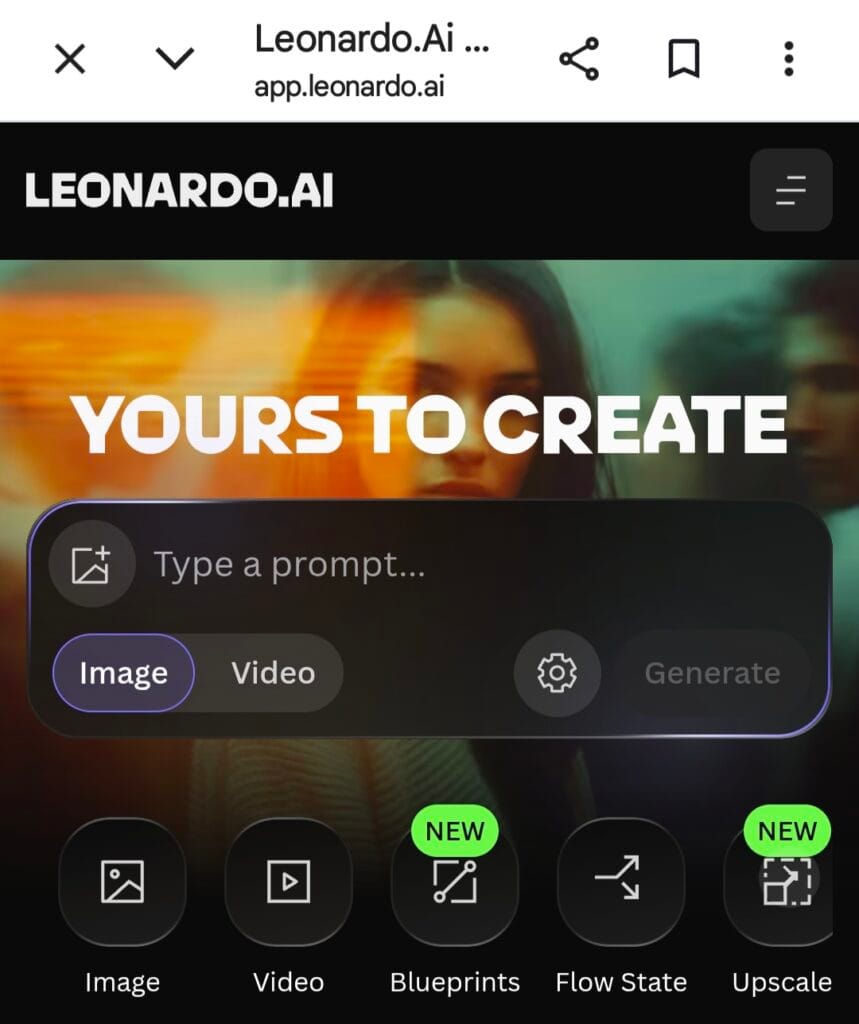
Go to leonardo.ai and click “Launch App.” Sign up with Google, Apple, Microsoft, or email. No credit card needed for the Free Plan.
Once you’re in, check the left sidebar. You’ll see your 150 token balance. It resets at 00:00 UTC daily. For US users, that’s 8:00 PM ET or 5:00 PM PT. Pro Tip: Set a phone reminder 15 minutes before reset to burn any leftover tokens on test prompts.
Step 2: Master Your Token Cost to Get More Images
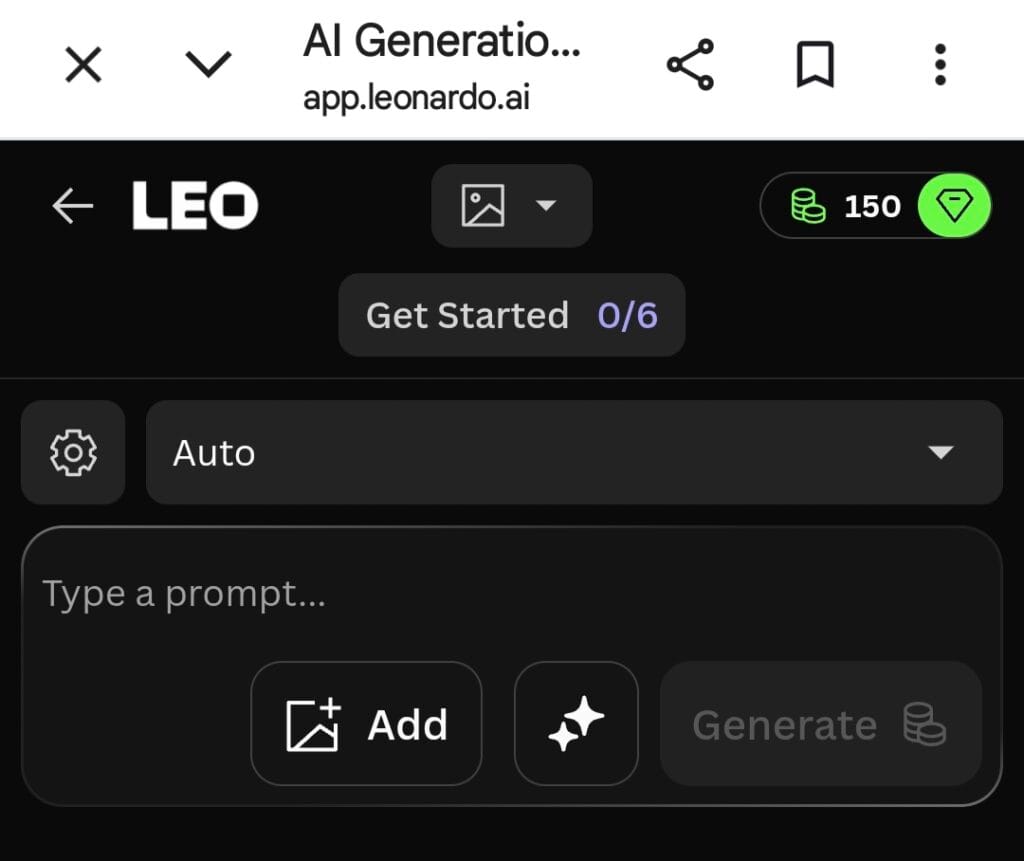
Your token cost depends on 4 settings. Control these and you’ll feel like you have unlimited credits:
| Setting | Token Cost | How to Save Tokens |
|---|---|---|
| Model | Phoenix = 1 per image | Use Leonardo Phoenix for daily generations. Premium models like Kino XL cost more. |
| Resolution | 512×768 = 1, HD = 4+ | Generate small first, then upscale for free in Canvas Editor. |
| Alchemy | ON = 2x cost | Keep it OFF while testing. Turn it ON only for final images. |
| Image Count | 4 images = 4x tokens | Generate 1 at a time. Create variations only for images you like. |
Step 3: 3 Free Features Most Users Don’t Know About
1. The Canvas Editor Upscale Hack
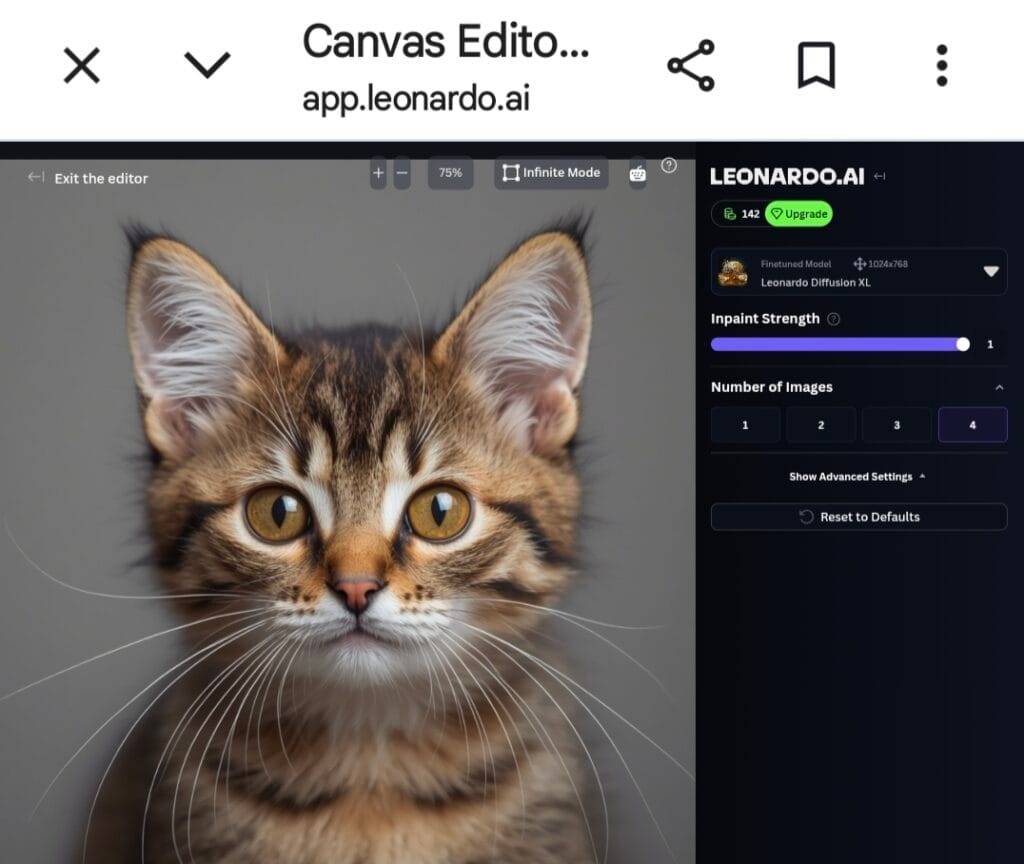
Generating HD images directly costs 5 to 8 tokens. Instead, generate a 512×768 image for 1 token. Open it in the Canvas Editor and use “HD Smooth Upscale.” You get high quality without burning extra tokens on the initial render.
2. Use “Improve Prompt” to Avoid Wasted Tokens
Bad prompts waste tokens. Type something simple like “cyberpunk street” and hit the “Improve Prompt” button. Leonardo’s built-in LLM will rewrite it into a detailed, high quality prompt for free. Better prompts mean better results on the first try.
3. Free Model Training Every Month
Even on the free tier, you can train 1 custom model per month with your own images. This uses separate “Model Training Tokens,” not your 150 daily generation tokens. It’s perfect for creating a consistent character or brand style.
Step 4: Power User Strategies to Stretch Your Tokens
- Turn Off Prompt Magic V3 for Simple Tasks: Prompt Magic improves quality but adds 0.5 to 1 token per generation. For logos, icons, or flat art, turn it off to save tokens.
- Use the Public Feed for Inspiration: Free generations are public. Browse the community feed, copy prompts you like, and tweak them. It’s the fastest way to learn what works.
- Separate Projects by Email: Some creators use different accounts for personal vs client work to manage token limits. Just make sure you follow Leonardo’s Terms of Service.
Leonardo AI Free Plan Limits in 2026
Here is what you actually get on the free tier as of April 2026:
- Daily Tokens: 150. They reset daily and do not roll over.
- Commercial Rights: Yes. You can use free tier generations for commercial projects, client work, YouTube, Etsy, and more. This is a huge advantage over Midjourney.
- Privacy: All free generations are public. You need a paid plan for private generations.
- Video and Motion: Not included in the free plan. Motion requires separate Motion tokens or a paid subscription.
Final Verdict: Is Leonardo AI the Best Free AI Art Tool in 2026?
For most creators, yes. With 150 daily tokens, a free upscaler, a built-in prompt enhancer, and full commercial rights, Leonardo AI gives you more practical value than Midjourney or DALL-E 3 if you’re on a budget. If you follow the “generate small, upscale later” rule, you can easily create 4,500+ high quality images per month without spending anything.
Your 2 Minute Action Plan:
- Sign up at Leonardo.ai.
- Set your model to Leonardo Phoenix.
- Turn Alchemy OFF and set size to 512×768.
- Generate one image at a time to test prompts.
- Upscale your favorites in the Canvas Editor.
That’s it. Your tokens reset tomorrow, so use them or lose them. Now go create something awesome.

About the Author
Hey, I’m Dharmendra Singh. I started AITool555 in early 2026 to share AI prompts that actually work.
I personally test every Midjourney, ChatGPT, and Leonardo AI prompt I publish. If it doesn’t save me time or give real results, it doesn’t make it onto this site. No fluff, just prompts I use for my own projects.
Questions? Email me: [email protected]
3 thoughts on “How to Use Leonardo AI for Free: Get 150 Daily Images in 2026”