
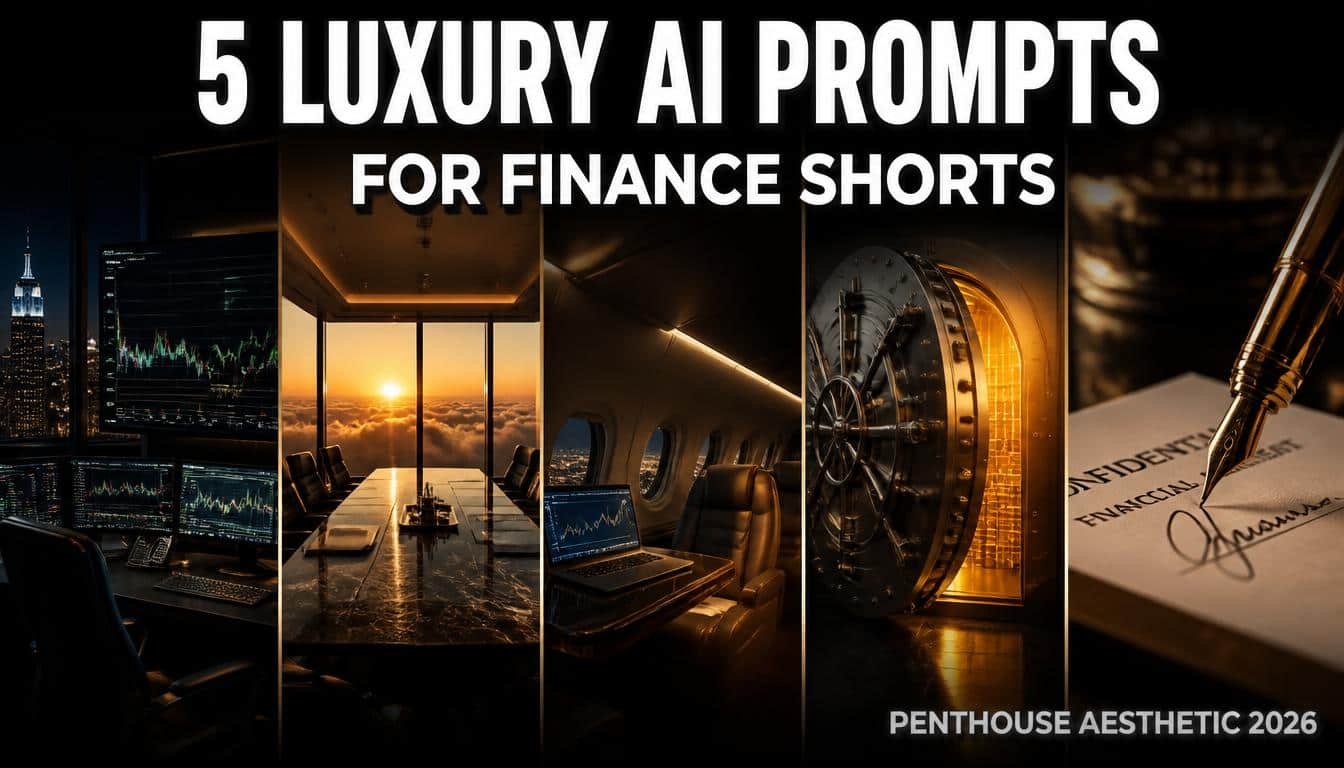
AI prompts for finance shorts are specific cinematic text instructions used in generators like Leonardo AI to create highly realistic, vertical backgrounds featuring penthouse offices, trading desks, and luxury assets, specifically designed for faceless finance and wealth-building YouTube Shorts.
If you are managing a faceless finance or wealth-building YouTube channel in 2026, you already know that viewer expectations have completely changed. American audiences are no longer impressed by generic stock photos of dollar bills or basic upward-trending arrows. To capture and hold the attention of viewers interested in investing, business, and financial freedom, your visual presentation must look incredibly expensive. The modern viewer associates visual quality with the actual value of the financial advice being given. If you want to command authority in this space, mastering AI prompts for finance shorts is the most critical step you can take for your production workflow.
In this comprehensive guide, I am sharing five meticulously tested, copy-paste AI background prompts designed specifically to give your finance channel a premium, high-budget corporate feel. We are moving away from cheap stock footage and focusing on high-contrast penthouse offices, private jets, and modern trading desks to match the massive aspirations of your audience.
Creating content in the finance niche is incredibly competitive, and these categories are often associated with relatively higher advertising rates than many general entertainment topics, although actual earnings vary significantly by audience, geography, and advertiser demand. Advertisers in the financial sector prefer placing their brands next to content that feels sophisticated and professional. Upgrading your visual strategy to these customized, photorealistic luxury backgrounds is a highly effective way to build a polished identity and increase your overall viewer retention.
Why the “Penthouse & Corporate” Aesthetic Works for Finance
Before we look at the exact prompts, it is important to understand the psychology behind this specific visual style. Why do millions of viewers watch hours of content featuring dark offices and city skylines?
- Aspirational Psychology: People consume finance content because they want to improve their lifestyle. Showing them a rainy Manhattan skyline from a leather chair in a penthouse triggers their ambition. It visually represents the end goal of financial freedom.
- Authority and Trust: A video discussing stock market trends or wealth management feels significantly more trustworthy when the background looks like an executive boardroom rather than a messy bedroom. Professional visuals build instant credibility.
- High-Retention Atmosphere: A well-generated image of a dark trading desk at midnight is visually calming but highly engaging. It provides a sophisticated canvas that allows the viewer to focus entirely on your voiceover and the captions on the screen.
My Exact Leonardo AI Settings & Generation Costs
To generate the high-retention result images you see in this guide, I personally tested all of these prompts using Leonardo AI. For the absolute best results tailored to YouTube Shorts, here is the exact configuration I used:
- AI Generator: Leonardo AI
- Model: Auto
- Style: Cinematic
- Dimensions (Aspect Ratio): 9:16 (Vertical)
Credit Usage & Free Tier Breakdown:
When using the Auto model combined with the Cinematic style in Leonardo AI, it typically costs around 10 to 15 credits to generate a single high-quality image. If you run all 5 prompts from this guide, expect to use approximately 50 to 75 credits in total. Fortunately, Leonardo AI currently offers a generous free tier that provides 150 free credits every single day, which is more than enough to create multiple daily Shorts backgrounds completely for free.
(Note on Pricing: AI platforms update their features and pricing constantly. The 150 daily free credits and the 10-15 credit generation costs mentioned above are based on my personal testing on August 9, 2026. These limits and costs are entirely determined by Leonardo AI and are fully subject to change without notice in the future.)
The 5 Copy-Paste AI Prompts for Finance Shorts (Penthouse Aesthetic)
To avoid creating a low-value, generic listicle, we are breaking down exactly how to use, edit, and perfect each of these environments. Copy the text inside the boxes below and paste it directly into Leonardo AI.
Prompt 1: The Midnight Trading Desk
What this prompt is designed for:
- Stock market analysis and crypto updates
- Late-night “hustle culture” motivation
- High CTR backgrounds for data-heavy voiceovers
Best AI Model Setup:
- Leonardo AI (Model: Auto | Style: Cinematic)
The Prompt:

Why it works:
- Color Psychology: The glowing green charts subconsciously signal profit, wealth, and upward momentum to the viewer.
- Contrast: The dark room surrounding the bright monitors forces the viewer’s eye directly to the center of the screen, creating a perfect canvas for your captions.
Recommended editing:
- Add a subtle Canva vignette (darkened edges) to increase focus on the center monitors.
- Use a clean, white, bold sans-serif font for your captions to contrast with the dark background.
Common mistakes:
- Overcrowded background: Adding too much text over the monitors makes the video look messy and unreadable.
- Low contrast: Failing to darken the image slightly in post-production, which washes out your on-screen captions.
Prompt 2: The High-Rise Boardroom
What this prompt is designed for:
- CEO mindset and business strategy videos
- Real estate investing tips
- Faceless documentary-style Shorts
Best AI Model Setup:
- Leonardo AI (Model: Auto | Style: Cinematic)
The Prompt:

Why it works:
- Aspirational Framing: The dramatic lighting and solitary chair signify extreme power and high-level decision making, which resonates deeply with ambitious viewers.
- Clean Lines: The boardroom table acts as a leading line, drawing the viewer’s eyes down the center of the vertical frame.
Recommended editing:
- Since this is a bright image with intense light rays, you must apply a heavy Canva drop shadow to your text to ensure readability.
- Keep captions limited to a 3-word headline per screen.
Common mistakes:
- Using white text without shadows: The bright god rays will completely hide your captions, ruining mobile readability.
Prompt 3: The Private Jet Interior
What this prompt is designed for:
- Financial freedom and passive income niches
- Luxury lifestyle showcases
- “Escape the Matrix” style motivational content
Best AI Model Setup:
- Leonardo AI (Model: Auto | Style: Cinematic)
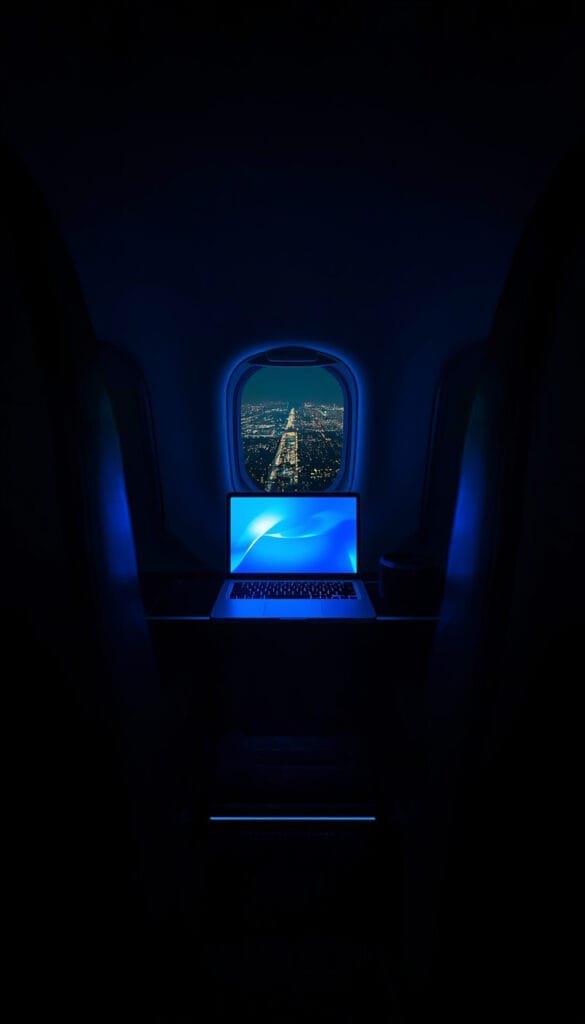
The Prompt:
Why it works:
- Ultimate Desire: A private jet is the universal symbol of having “made it.” It commands immediate respect and stops the viewer from swiping away.
- Relatability: The glowing laptop screen bridges the gap between massive wealth and the viewer’s current late-night work reality.
Recommended editing:
- Apply a slow, 5% zoom (push-in effect) to make the interior feel like a real video rather than a static photo.
- Use a gold or bright yellow accent color for the most important words in your captions.
Common mistakes:
- Oversaturation: Pumping up the colors makes the image look like a cartoon. Keep the dark, moody cinematic grading intact.
Prompt 4: The Modern Vault
What this prompt is designed for:
- Banking secrets and hidden wealth strategies
- Asset protection and tax loopholes
- High-retention mystery-finance topics
Best AI Model Setup:
- Leonardo AI (Model: Auto | Style: Cinematic)
The Prompt:

Why it works:
- Curiosity Gap: A slightly open vault door with a blinding light creates intense psychological tension. The viewer naturally wants to know what is inside, forcing them to watch the video.
Recommended editing:
- Add a subtle dust particle overlay at 10% opacity in your video editing software to enhance the floating dust from the prompt, giving it a gritty, realistic texture.
Common mistakes:
- Too dark overall: Ensure the golden light is bright enough. If mobile viewers have their screen brightness turned down, they might miss the intricate details of the vault door.
Prompt 5: The Premium Desk Macro
What this prompt is designed for:
- Budgeting breakdowns and personal finance tips
- Tax planning strategies
- Highly educational, analytical content
Best AI Model Setup:
- Leonardo AI (Model: Auto | Style: Cinematic)
The Prompt:

Why it works:
- Grounded Realism: It shifts away from massive penthouses and focuses on the actual “work” of closing a million-dollar deal, making your educational tips feel legitimate.
- Depth of Field: The intensely blurred bokeh background ensures the viewer’s entire focus remains precisely on your overlay graphics or text.
Recommended editing:
- Use this specific background when you are putting bullet-point lists or numbers on the screen. The clean, blurred background acts as a perfect presentation board.
Common mistakes:
- Over-animating: Do not add aggressive shakes or flashes to a calm, macro shot. Keep the edits smooth and professional.
The High-End Video Editing Workflow
Generating stunning AI backgrounds is only the first step. To ensure the viewer actually stays engaged and the YouTube algorithm pushes your content, you must edit these images correctly. You cannot just drop a static image on the timeline. Here is the workflow used by top faceless finance channels using tools like Premiere Pro or Canva:
1. The Cinematic Color Grade
Finance aesthetics require a very specific color palette. Once you import your AI image, drop the overall saturation by about 10%. Boost the contrast slightly and add a subtle cool tint (blue or teal) for the trading desk and vault prompts, or a warm tint (orange) for the boardroom and jet prompts. It should look like a high-budget Wall Street movie.
2. The Continuous Slow Push-In
Static images will ruin your retention metrics instantly. You need to apply a very slow, continuous zoom effect (often called the Ken Burns effect). Start the image scale at 100% and have it slowly push in to roughly 105% to 108% by the end of the clip. This subtle movement tricks the brain into feeling like it is watching dynamic video footage rather than a photograph.
3. Environmental Overlays
To make the AI image feel completely organic and alive, add environmental overlays on top of your entire video. If you are using the “Midnight Trading Desk” prompt, add a very faint rain-on-glass overlay. For the other prompts, a subtle dust particle overlay at 5% opacity adds serious texture and realism to the frame.
4. Professional Typography
For a finance channel, your text needs to look authoritative. Do not use goofy or overly aggressive gaming fonts. Use clean, modern sans-serif fonts like Montserrat, Helvetica Neue, or Inter. Keep the text concise, centered, and colored in crisp white or a subtle gold. A simple fade-in or a clean slide animation works best.
Before Publishing Checklist (The 9:16 Rule)
Before you upload your Short, run your edited video through this strict quality control checklist to ensure maximum retention:
- The 9:16 Safe Area Test: Are your captions blocking the right side of the screen? Remember, YouTube’s UI (Like, Subscribe, Comments buttons) covers the bottom third and the right edge. Keep all critical text centered in the upper-middle of the frame.
- Mobile Readability: Export a frame of your video and view it on your phone. If you have to squint to read the text against the AI background, your contrast is too low. Add a darker Canva shadow.
- The 3-Second Visibility Test: Does the viewer immediately understand the vibe of the video within the first 3 seconds? If not, speed up your slow push-in effect to create immediate visual interest.
Frequently Asked Questions (FAQs)
1. Which AI generator is best for these corporate images?
As outlined in the settings section above, Leonardo AI is exceptionally strong for this specific aesthetic. Using the Auto model combined with the Cinematic style ensures highly accurate lighting, realistic architectural lines, and eliminates the plastic-looking artifacts often associated with lower-quality AI tools.
2. Are AI-generated images safe for YouTube monetization?
Yes, utilizing AI-generated backgrounds is generally acceptable for the YouTube Partner Program, provided that your video adds substantial value and complies with YouTube’s Advertiser-Friendly Content Guidelines. Your script, educational insights, voiceover, and editing must create a unique piece of content.
3. Do I need to purchase expensive stock footage?
No. High-end luxury stock footage can cost hundreds of dollars per clip on traditional stock video sites. Generating these precise images yourself allows you to maintain premium visual quality while keeping your production costs completely at zero.
Explore Our Luxury Prompts Cluster
If you want to expand your visual library and experiment with different high-end aesthetics, check out the other guides in our series:
- 5 Luxury AI Prompts with an Old Money Aesthetic for Motivation YouTube Shorts
- 5 Viral AI Prompts for Stoic YouTube Shorts
- 5 Deep AI Prompts for Psychology YouTube Shorts
- 5 Premium AI Prompts for History YouTube Shorts
- 5 Dark AI Prompts for True Crime YouTube Shorts
Important Disclaimer
The information, strategies, and prompts provided in this article are for educational and informational purposes only. We do not guarantee any specific results, view counts, subscriber growth, financial returns, or approval into the YouTube Partner Program. Platform algorithms and monetization policies change frequently and are completely outside of our control. Building a successful faceless channel requires consistent hard work, high-quality scriptwriting, and valuable editing. Always make sure to review YouTube’s official policies regarding AI content.
Final Thoughts
Succeeding in the faceless finance niche is all about presenting yourself as a knowledgeable and trusted authority. Viewers do not take financial advice from channels that look disorganized or amateur. By utilizing these AI prompts for finance shorts, you immediately elevate your brand’s visual identity. The corporate penthouse aesthetic creates an environment of respect, success, and aspiration. Take these copy-paste prompts, log into your Leonardo AI account, apply the recommended Canva edits, and use them to build a highly profitable visual identity.

About the Author
Hey, I’m Dharmendra Singh. I started AITool555 in early 2026 to share AI prompts that actually work.
I personally test every Midjourney, ChatGPT, and Leonardo AI prompt I publish. If it doesn’t save me time or give real results, it doesn’t make it onto this site. No fluff, just prompts I use for my own projects.
Questions? Email me: [email protected]